
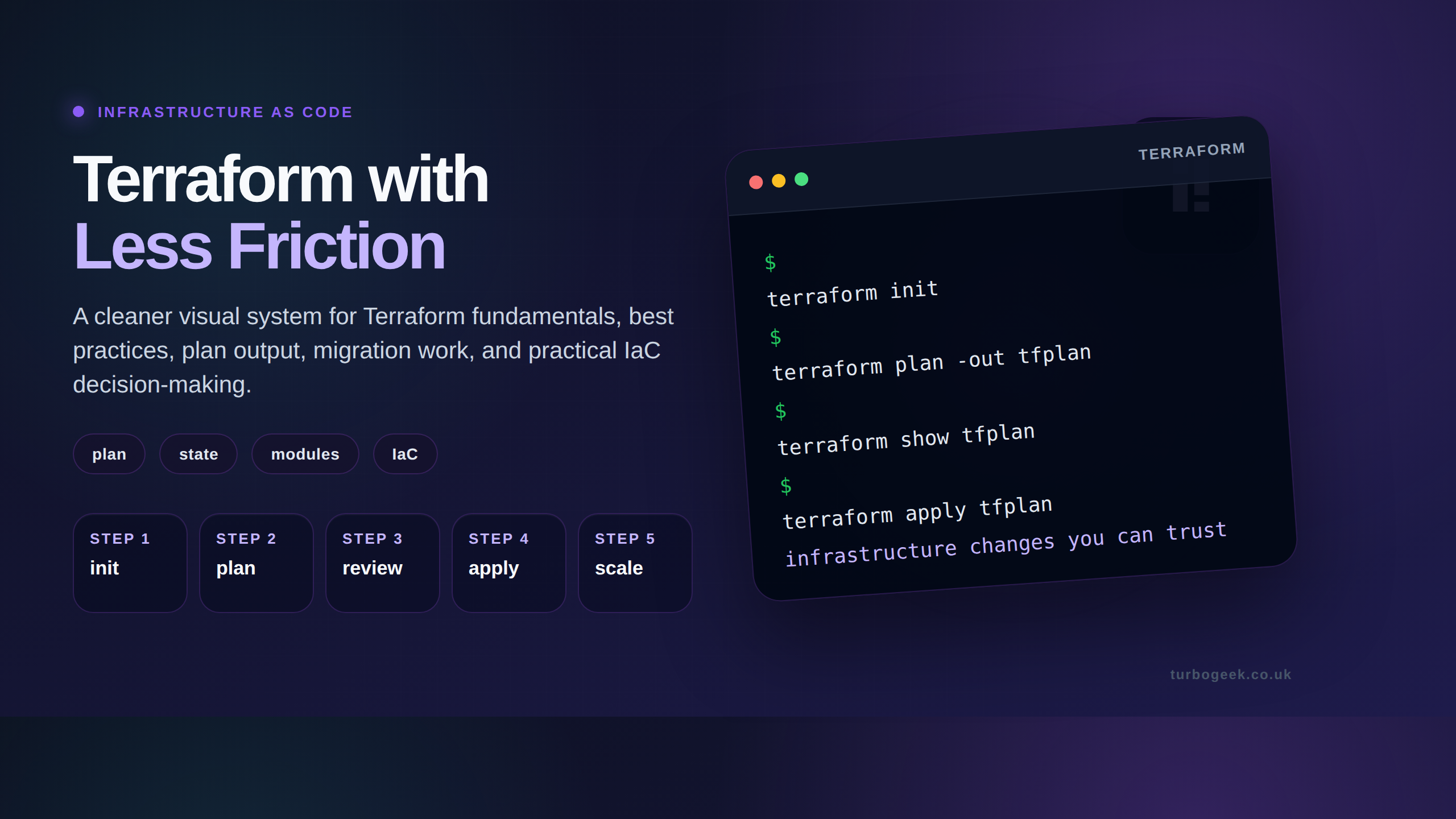
Terraform is an open-source Infrastructure as Code (IaC) tool by HashiCorp that lets you define, provision, and manage cloud and on-premises infrastructure using declarative configuration files. You describe the desired state in HCL, and Terraform calculates and applies the changes needed to reach that state.
Building software in 2026 requires more than just good code; it requires a stable place for that code to live. In the past, teams set up servers, databases, and networks by clicking buttons in a web portal. This manual path leads to “configuration drift,” where nobody knows exactly how the system is set up. One wrong click can take down an entire platform.
Terraform solves this by turning infrastructure into text files. This method, known as Infrastructure as Code (IaC), allows you to treat your cloud setup like software. You can version it, share it, and test it before it goes live.
This guide walks through how Terraform functions, why it uses a “declarative” style, and how to use it to manage complex cloud environments without the stress of manual errors. We focus on the practical side of the tool for Product Managers and Engineers who need systems that stay up and scale fast.

Declarative Infrastructure
Terraform uses a declarative approach. To understand this, think of a GPS. You tell the GPS the destination (the “End State”), and it finds the path. You do not have to tell it every individual turn.
In contrast, imperative tools require a list of specific commands. If you want ten servers, an imperative script says “Create server 1, then create server 2…” and so on. If the script fails halfway through, you end up with five servers and a mess.
Key Differences in 2026 Standards:
| Feature | Declarative (Terraform) | Imperative (Scripts) |
| Focus | The final result | The steps to get there |
| Error Handling | Auto-corrects to match the code | Requires manual cleanup |
| Readability | High (looks like a list) | Low (looks like logic/loops) |
| Management | Best for long-term scaling | Best for one-off tasks |
Terraform uses HashiCorp Configuration Language (HCL). It is designed to be easy for humans to read but strict enough for machines to follow. Because HCL is text-based, you can store it in GitHub or GitLab, allowing your team to see every change made to your servers over time.
How Terraform Works: Providers and State
Terraform relies on two main components to do its job: Providers and the State File.
1. Providers
Terraform does not know how to talk to AWS or Azure by itself. It uses Providers, which act as translators. There are providers for almost everything:
- Cloud: AWS, Google Cloud, Azure.
- SaaS: Cloudflare, Datadog, GitHub.
- Internal: Kubernetes, local files.
You can now use Terraform to manage your team’s Slack channels, PagerDuty schedules, and database users all in one place.
2. The State File
This is the most “pivotal” part of the tool. The State File is a JSON map of everything Terraform has built. When you run Terraform, it checks this file to see what infrastructure already exists.
- If your code says “10 servers” and the state file says “8 servers,” Terraform adds two.
- If someone manually deletes a server, Terraform sees the gap and rebuilds it.
Reader Safety Note: The state file often contains sensitive data like passwords or private IP addresses. Never commit this file directly to a public folder. Use “Remote State” storage with encryption to keep this data safe.
The Standard Workflow
Using Terraform follows a predictable cycle. This cycle ensures that no changes happen by surprise.
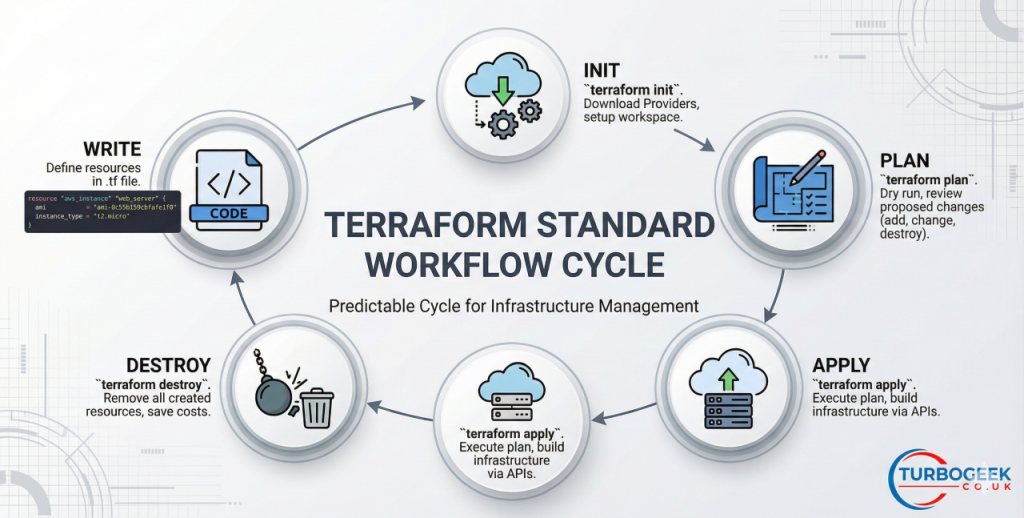
Step 1: Write
You define your resources in a file ending in .tf. Example:
resource "aws_instance" "web_server" {
  ami           = "ami-0c55b159cbfafe1f0"
  instance_type = "t2.micro"
}Step 2: Init
Run terraform init. This command tells Terraform to look at your code and download the correct Providers. It sets up the workspace so the tool is ready to talk to the cloud.
Step 3: Plan
Run terraform plan. This is a “dry run.” Terraform compares your code to the real world and prints a list of what it will add, change, or destroy. Always review this list. It prevents accidental deletions.
Step 4: Apply
Run terraform apply. Once you confirm the plan looks right, Terraform carries out the actions. It talks to the cloud APIs and builds your infrastructure.
Step 5: Destroy
When a project ends, terraform destroy removes everything the code created. This keeps costs low by ensuring no “zombie” servers stay running.
Advanced & Edge Cases
As systems grow, simple files become hard to manage. Professionals use specific patterns to keep things clean.
Modules for Reusability
Instead of writing the same code for “Production” and “Staging,” you create a Module. Think of a module as a template. You write the complex code once and call it multiple times with different names. This ensures your staging environment is a perfect mirror of your production site.
Handling Configuration Drift
Drift happens when an engineer logs into the AWS console and changes a setting manually. Terraform detects this during the next plan phase.
- Cause: Manual “hotfixes” or unauthorized changes.
- Fix: Run
terraform applyto overwrite the manual change with the “source of truth” in your code.
State Locking
In a team of ten, if two people run apply at the same time, the state file can break. 2026 standards require State Locking (usually via DynamoDB or Terraform Cloud). This prevents more than one person from changing the infrastructure at once.
Secrets Management
Hard-coding passwords in HCL is a major risk. Use a dedicated secret store.
- Method: Reference environment variables or use a provider like HashiCorp Vault.
- Result: The code stays safe, and the secrets are injected only when needed.
Integration & Workflow
Terraform does not live in a vacuum. It sits at the center of your “DevOps” stack.
CI/CD Integration: Don’t run Terraform from your laptop. Connect it to a pipeline.
- Pull Request: Trigger a
terraform plan. - Peer Review: A senior engineer checks the plan output in the comments.
- Merge: Trigger a
terraform applyto the live environment.
Security & Compliance: Today, “Policy as Code” is the standard. Tools like Sentinel or OPA (Open Policy Agent) check your Terraform code before it runs. For example, you can set a rule that says “No server can ever be public to the internet.” If the code breaks this rule, the plan fails automatically.
Common Questions
Is Terraform only for AWS?
No. It works with hundreds of platforms including Azure, Google Cloud, Oracle, and even local tools like Docker. It is the leading “cloud-agnostic” tool.
What is the difference between Terraform and Ansible?
Terraform is for “orchestration” (building the house). Ansible is for “configuration” (painting the walls and moving in furniture). While they overlap, Terraform is better at managing the lifecycle of the hardware/cloud resources themselves.
Can I import existing cloud resources into Terraform?
Yes. You can use the terraform import command. It brings existing servers under Terraform’s control so you don’t have to delete and recreate them.
All infrastructure changes carry risk. Always test in a sandbox environment before changing production systems.
Leave a Reply