
NTP (Network Time Protocol) is important because it allows computers and other networked devices to synchronize their clocks with a highly accurate reference time source. This is critical for many applications requiring accurate timing, such as financial transactions, scientific experiments, and network security.
Here are some specific reasons why NTP is important:
- Accuracy: Accurate timing is essential for many applications, and NTP allows networked devices to synchronize their clocks with a reference time source that is highly accurate.
- Security: Many security protocols, such as SSL/TLS, use time-based validation to ensure that messages and data are being sent and received at the correct time. Accurate timing is also important for digital certificates, which are used to verify the identity of a server or client.
- Troubleshooting: When troubleshooting network issues, having accurate and synchronized time stamps on log files and other diagnostic information can be crucial for quickly identifying and fixing the cause of problems.
- Compliance: Many industries have regulatory requirements around time synchronization. For example, in the financial industry, accurate timing is required for auditing and compliance purposes.
On Red Hat and CentOS, NTP is managed by chronyd. Configure your time servers in /etc/chrony.conf, restart the service with sudo systemctl restart chronyd, then verify sync with chronyc sources -v.
NTP (Network Time Protocol)
NTP keeps servers synchronized with the correct time. NTP can use either network-based servers, such as a domain controller, or it can point to online global time servers.
To discover more about your time configuration, type:
timedatectl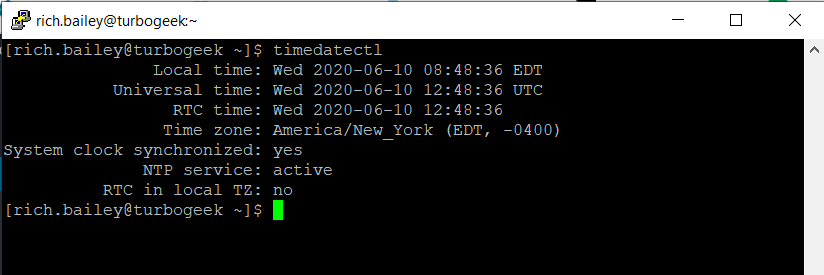
Set Time Zone
I live in the UK, So I need to set the time to Europe GMT
Type the following command to set the timezone to Europe/London. If you live elsewhere, you can discover your time zone here.
sudo timedatectl set-timezone Europe/London
timedatectl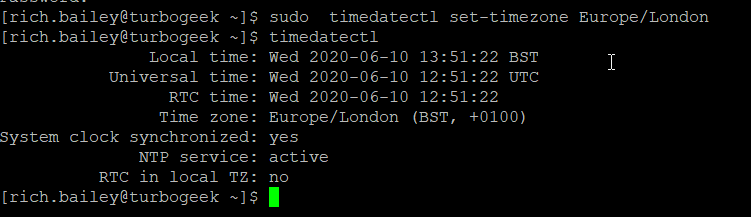
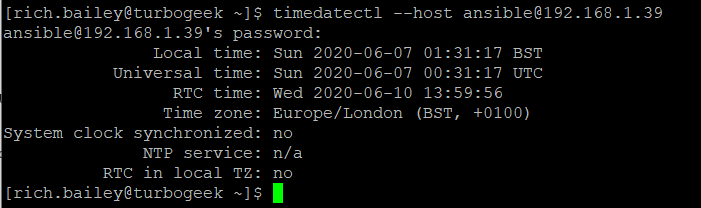
To view the time on another server, such as an enterprise domain controller using the –host operator (You will need to provide user credentials)
Crony.d
Cronyd was created as an alternative to the original NTP daemon, which was sometimes criticized for its complexity and difficulty in configuring. Cronyd aims to be more straightforward to set up and maintain while providing comparable or better accuracy.
Some of the features of Cronyd include:
- Support for both NTP and the newer Precision Time Protocol (PTP).
- Ability to synchronize time with multiple time sources simultaneously for increased accuracy and redundancy.
- Support for various reference time sources such as GPS and radio clocks.
- Predictive timekeeping to mitigate the effects of network latency and jitter.
- Security features such as authentication and encryption.
systemctl status chronyd
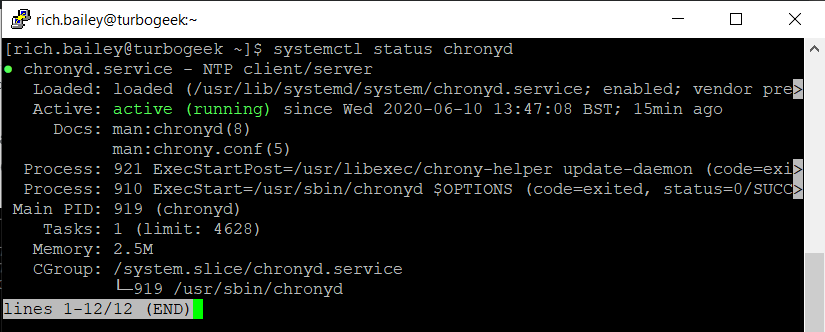
To discover more about your existing setup, type:
chronyc tracking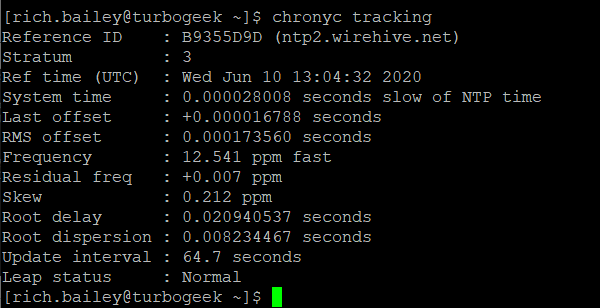
chronyc sources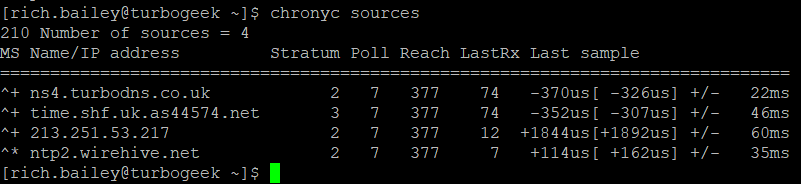
chronyc sources -v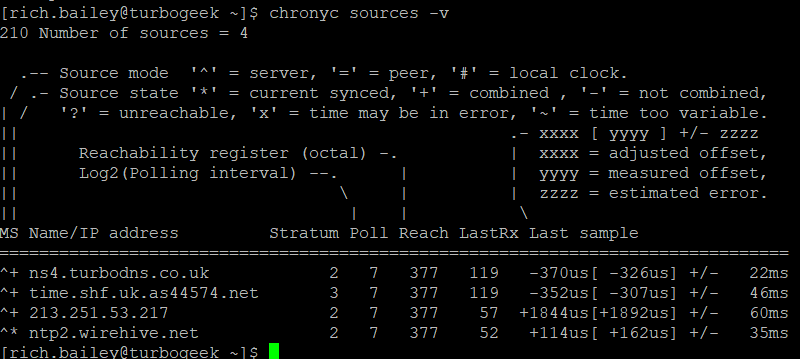
To manually edit the Chrony configuration, edit the chrony.conf, here you can set a time server on the internal network
sudo vim /etc/chrony.conf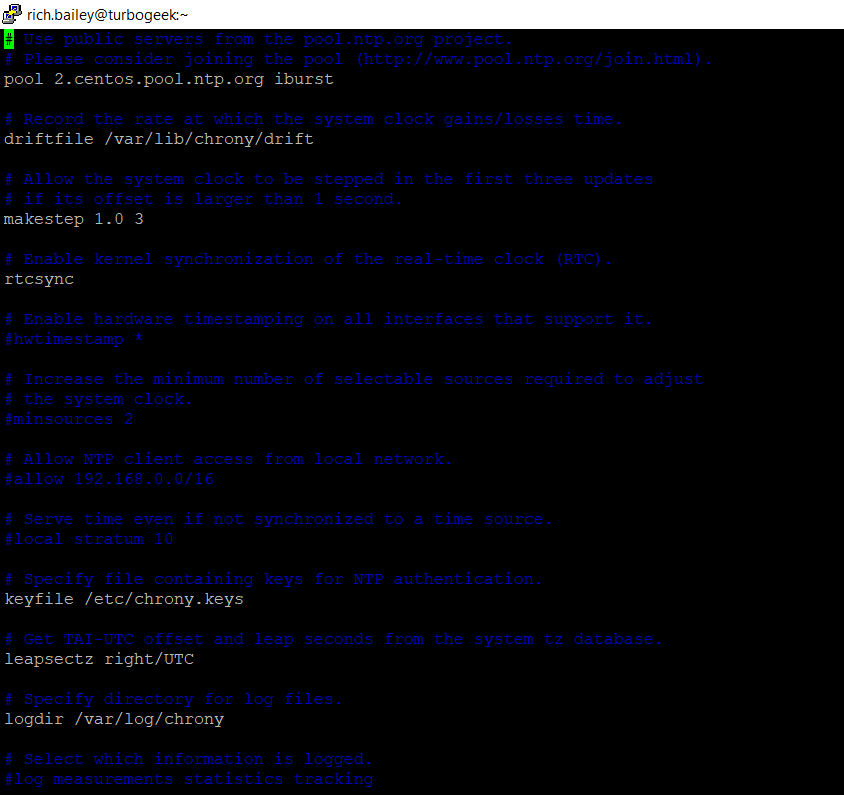
Looking for some more Linux reading, check out this RSA article on Linux.
For more information about the RHCSA certification, check out this page.
https://www.redhat.com/en/services/certification/rhcsa
This is part 8 of the Red Hat RHCSA mini-series blog. In the chapter, we learned about NTP.
RHCSA MiniSeries
Part 1 – How to use Grep and Regular Expressions (RegEx)
Part 2 – How to manipulate files in RedHat
Part 3 – Red Hat Permissions
Part 4 – How to change the root password on Red Hat
Part 5 – How to use Red Hat as a virtual machine host
Part 6 – How to configure local storage
Part 7 – how to manage users and groups in Red Hat Linux
Part 8 – how to configure NTP Network Time Protocol in Red Hat
Leave a Reply