Technical Blog
Latest practical guides from TurboGeek.
Use the blog as the live feed of the publication. The cards are designed for browsing, while categories and search help you narrow the archive fast.
-

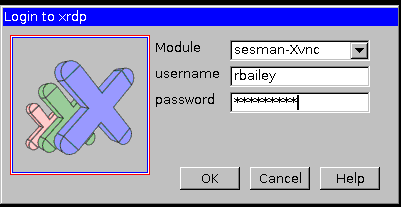
How To Install Xrdp Server On Ubuntu 22.04
One of the first blogs I wrote for turbogeek.co.uk was about installing XRDP on Ubuntu 14.04. Fast-forward over six years, and a lot has changed in the world… Read the guide
-
AWS VPC Peering Made Easy
Most users in AWS have multiple VPCs in their environment, sometimes spanning more than one account, so it’s not very common to have all of your resources in… Read the guide
-
How to enable Raspberry Pi SSH
Enabling Raspberry Pi SSH (Secure Shell) allows you to remotely access its command line interface from another device on the same network. Looking for more Raspberry PI Tips… Read the guide
-
Raspberry Pi Security: Don’t Forget to Change the Default Password (Raspbian OS)
How do I get the default password for Raspberry Pi? Well, it’s not on the box, and it is not immediately obvious when you burn your Raspberry Pi… Read the guide
-
How to Enable Raspberry Pi WiFi
Did you know that the WiFi dongle on a Raspberry Pi is disabled by default? To Enable Raspberry Pi Wifi, you must enable the WiFi from the command… Read the guide
-
Which Linux Version Do I Have? A Guide for New Users
As a Linux system administrator, there will be times when you need to quickly identify your Linux distribution and the specific version of the operating system installed on… Read the guide
-
How to Enable / Disable SELinux
SELinux, or Security-Enhanced Linux, is a security framework developed to enhance the security of Linux-based operating systems. It closely monitors and controls access to various parts of the… Read the guide
-
Ollama: The Open-Source Solution for Building A ChatGPT Alternative
ChatGPT at home ChatGPT and Bard (now Gemini) have revolutionized AI interactions, but what if you could create your own AI language model? This tutorial will guide you… Read the guide
-
How to Master Grep and RegEx
GREP (Global Regular Expression Print) is a command-line tool for searching and manipulating text files. It allows you to search for specific text patterns, called regular expressions, within… Read the guide
-
6 Powerful Linux One-Liners to Skyrocket Your Productivity
Linux is renowned for its powerful command-line interface. Mastering Linux one-liners isn’t just about saving time; it’s about maximizing operational efficiency and gaining deep visibility into your system’s… Read the guide