
Category
Category: Windows Server Platform
Administration guides for Windows Server including Active Directory, PowerShell, Hyper-V, and domain management. Includes clear, practical guidance.
-

VMware in 2026: Costs, Alternatives, and Migration Guide
Broadcom’s acquisition of VMware has moved past the initial shock phase into a stark reality for IT departments. In 2026, the virtualization industry is in its most fractured… Read the guide
-

How to Disable IPv6
The transition from IPv4 to IPv6 has been the “coming soon” story of networking for decades. However, as of early 2025, global adoption has finally surged past the… Read the guide
-
Active Directory PowerShell One-Liners for User, Group and Computer Admin
Active Directory PowerShell is one of the fastest ways to handle day-to-day user, group, and computer administration without clicking through multiple MMC consoles. This page is the main… Read the guide
-
How to Boot Windows into Safe Mode (Windows 11/10 Guide)
Safe Mode is one of the most useful Windows recovery tools because it starts the operating system with a minimal set of drivers and services. If your PC… Read the guide
-
How to Install Nano Server on VMware – A Step-by-Step Guide
Nano Server on VMware is lightweight, but the setup is not obvious if you have not done it before. This guide walks through the build so you can… Read the guide
-
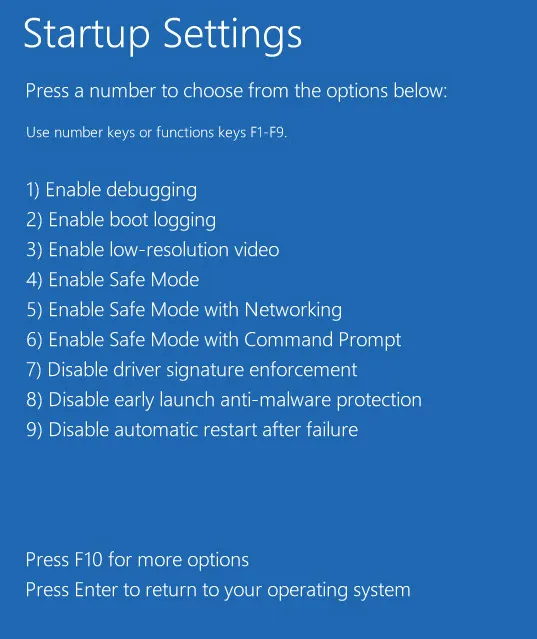
How to Use Command Prompt in Safe Mode for Advanced Troubleshooting
Safe Mode is useful on its own, but Command Prompt gives you more room to fix a broken Windows machine. This guide shows how to get into it… Read the guide
-
How to Exit Safe Mode in Windows 11/10 (and Fix Being Stuck)
Safe Mode is designed to be temporary. Once you finish troubleshooting, Windows should normally return to the standard desktop on the next restart. If it does not, you… Read the guide
-
Understanding Your Safe Mode Options Minimal vs Networking: Complete Guide
If you’re weighing up Understanding Your Safe Mode Options Minimal vs Networking, this breakdown focuses on the differences that actually affect day-to-day use instead of brochure-level claims. Read the guide
-

Windows Safe Mode Troubleshooting: What to Do First
Getting into Safe Mode is only the first half of the job. Once Windows starts with a minimal set of drivers and services, you can begin isolating the… Read the guide
-

Best Web Browser in 2026: Practical Comparison
Compare Chrome, Edge, Firefox, Brave, Safari, and Opera in 2026 across performance, privacy, AI features, extensions, and platform fit. Read the guide