

TL;DR
- Control Tower decommission can stall on residual resources, SCPs or Service Catalog products it can’t clean up itself.
- The fix is incremental: identify what’s blocking it, remove the blocker, retry the decommission.
- Common blockers: lingering SCPs, locked S3 buckets, CloudTrail in shared accounts, AFT pipelines.
- Always work from the management account; check CloudTrail in
us-east-1for the actual failure event.
What is fixing a stuck AWS Control Tower landing-zone decommission?
AWS Control Tower is AWS’s managed multi-account governance service. It sets up an Organization, baseline accounts, guardrails (SCPs and config rules) and a Landing Zone — a curated initial structure most enterprises start from.
The Landing Zone is meant to be teardown-friendly, but in practice the decommission can stall on resources Control Tower no longer thinks it owns. The recovery path is methodical: read the failure event, manually clear the blocker, retry decommission. AWS support is the right escalation when the blocker isn’t visible in the console.
Prerequisites
- Management-account admin access (Control Tower ops happen here, not in member accounts).
- Awareness of any add-ons (Account Factory for Terraform, custom SCPs, third-party landing-zone overlays) — they can block the teardown.
- A maintenance window — decommission can take an hour or more even when it works first try.
How to use this guide
The sections below walk through the practical commands and options. After the main content you’ll find a Verification block (sanity-check it actually worked), a Troubleshooting block (common error messages and what to do), and Related reading for follow-on topics.
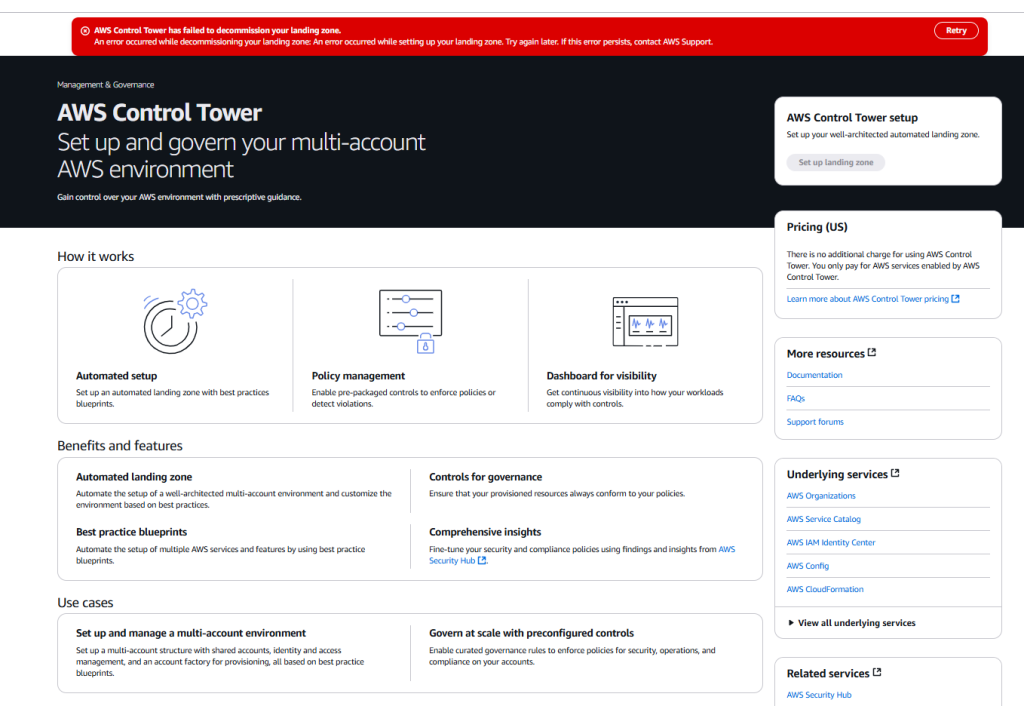
Here is the error I got when decommissioning a legacy landing zone.
Decommission Error
AWS Control Tower has failed to decommission your landing zone. An error occurred while decommissioning your landing zone: An error occurred while setting up your landing zone. Try again later. If this error persists, contact AWS Support.
It looks a bit like this:

When you hit the RETRY button the error persists.
Quick Answer
- Check CloudTrail and Control Tower logs to identify which account or resource is blocking decommission
- Remove any SCPs (Service Control Policies) still attached to OUs in the Control Tower environment
- Delete or move any remaining enrolled accounts out of the Control Tower OUs
- Retry the decommission from the Control Tower console — go to Landing Zone Settings → Decommission
- If it still fails, manually delete the stuck CloudFormation stacks and retry
Step 1 – Check CloudTrail for any obvious warnings
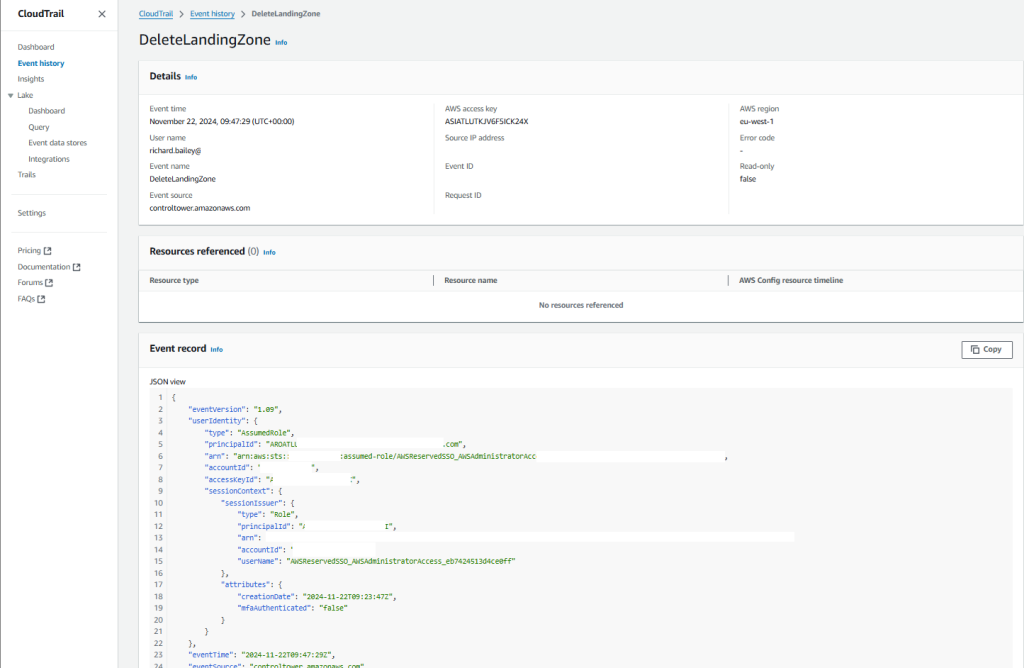
I first checked AWS CloudTrail and found the entry that the delete was accepted, but I found nothing else useful:
Step 2 – Troubleshooting with AWS
I reached out to AWS. They were very helpful and essentially the error I was seeing is that the AWS console was refusing to delete the Landing Zone because “it didn’t exist”, where in fact, it did exist. We even tried to create a landing zone but we couldn’t because “the landing zone already exists”.
As you can see it was a bizarre error:
- AWS Support requested I run the following command in a Cloudshell session command on my account:
aws controltower reset-landing-zone --landing-zone-identifier arn:aws:controltower:<REGION>:<ACCOUNT_ID>:landingzone/<LANDING_ZONE_ID>This is the error I got:
An error occurred (ValidationException) when calling the ResetLandingZone operation: AWS Control Tower detected '1' validation errors:AWS Control Tower does not allow a reset operation in the current landing zone state. To continue, update your landing zone by calling the UpdateLandingZone API.AWS Support then provided me with a copy of my manifest file. They asked me to upload it to CloudShell and run this command.
(Im unable to share the manifest file because it contains sensitive data)
- Upload the manifest file to CloudShell
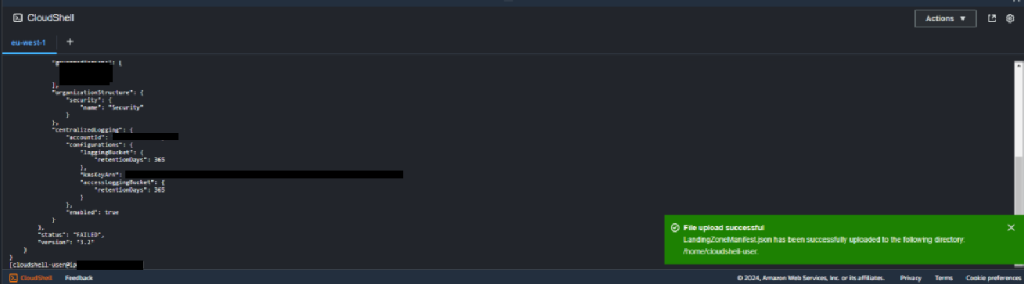
- Now update the landing zone using this command
aws controltower update-landing-zone --landing-zone-identifier arn:aws:controltower:<REGION>:<ACCOUNT_ID>:landingzone/<LANDING_ZONE_ID>--manifest file://home/cloudshell-user/LandingZoneManifest.json --landing-zone-version 3.2- Again this failed. (sorry I forgot to take note of the error)
- check the process of the operations use
aws controltower list-landing-zone-operationsYou should see output like this
[cloudshell-user@ip]$ aws controltower list-landing-zone-operations

{
  "landingZoneOperations": [
    {
      "operationIdentifier": "<MY_ID>",
      "operationType": "DELETE",
      "status": "FAILED"
    },
    {
      "operationIdentifier": "<MY_ID>",
      "operationType": "DELETE",
      "status": "FAILED"
    },
    {
      "operationIdentifier": "<MY_ID>",
      "operationType": "DELETE",
      "status": "FAILED"
    },
    {
      "operationIdentifier": "<MY_ID>",
      "operationType": "DELETE",
      "status": "FAILED"
    },
    {
      "operationIdentifier": "<MY_ID>",
      "operationType": "DELETE",
      "status": "FAILED"
    }
  ]
}- Whenever you are ready, could you please try the following command and share the output:

- Also, please review and confirm if the trusted access is enabled for Control Tower in AWS Organizations. If the trusted access is disabled, kindly enable and perform the following:
- Trusted access should be enabled.
- Run delete-landing-zone
- Run get-landing-zone-operation
Step 3 – First AWS Fix – Increase CloudFormation Rate Limits
Now I will be the first to admit I don’t understand why AWS recommended this. According to their systems when I was destroying the Landing Zone, the Cloud Formation jobs that do this task in the background were hitting some rate limit.
This is the new case I opened with AWS Support:
Message to AWS
Reference case : xxxxxxxxx
We are trying to decommission landing zone. When confirming with the internal teams from Control Tower it was observed that the issue is occurring due to Rate Exceeded error for DescribeStackSet call.
Please assist in increasing the limit so we can continue the decommissiong of landing zone.
Stack ID(s) / Stack ARN: n/a
Step 4 – Second AWS Fix – Disable Guardrail Controls in Control Tower
So this is the second reply I got from AWS, this time from their 3rd Line Team. Note that the ticket has been open for 26 days now!
Email from AWS
The internal team has recommended to disable the controls on the OUs and then retry the decommissioning of landing zone.
Could you please confirm if you are able to disable the controls from the Control Tower dashboard via console or CLI[1][2]?
Also, please let me know if the issue persists.
Additionally, I am available to collaborate on a Chime session today, between 10:30 – 16:30 UTC(Dublin). Please confirm your availability and we can investigate this further.
Thank you very much for your patience!
============
References:
[1] https://repost.aws/questions/QUbfCivokISnShRHUqBCryEg/how-to-disable-guardrails-controls-in-control-tower
[2] https://docs.aws.amazon.com/cli/latest/reference/controltower/disable-control.html
The fix suggests that I should disable guardrails in the control tower. But my Landing Zone decommission is now so screwed that I can’t even get into the control tower.
- Disable guardrails from the Control Tower console, from the Guardrails screen.
- Guardrail–> select guardrail –> select OU from which to disable –> click ‘Disable guardrail’. But cannot disable a mandatory guardrail as that would defeat the purpose of it being “mandatory”
But this is what my Landing Zone looks like.
Back to AWS, I go.
Step 5 – Third AWS Fix (The one that worked)
I escalated to AWS again. The case has now been open 41 days!
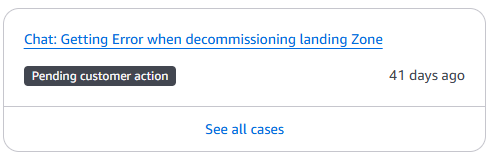
But the good news is that I now have a fix.
Email from AWS
Hello Richard,
Greetings from the AWS Premium Support! This is Nishant again, hope this correspondence finds you well.
Thank you for your time on Chime session today! Please find the summary of our discussion below,
We found that the AWS Control Tower Landing Zone had 1300+ Controls enabled on the OUs.:
$ aws controltower list-enabled-controls > controls.json
$ jq -r ‘.enabledControls[] | [.controlIdentifier, .controlName, .controlStatus, (.targetIdentifier // “N/A”)] | @csv’ controls.json > controls.csv
$ echo “ControlIdentifier,ControlName,ControlStatus,TargetIdentifier” > controls_with_header.csv
$ cat controls.csv >> controls_with_header.csv
With the above set of commands, we got the list of all enabled controls with headers – ControlIdentifier and TargetIdentifier which are required as an input for the DisableControl API[1].
As advised, there is no native way to disable all the controls at once when the Control Tower is in decommission failed state. Additionally, as informed, providing code development/Scripts is out of scope for Premium Support. However, on the best effort basis, I was able to provide you the below python code which will read the CSV file of all enabled Controls and will disable from the target except for the mandatory controls which cannot be disabled.
Following is the code:
import csv
import boto3
import time
from botocore.exceptions import ClientError

# Initialize the Control Tower client
ct_client = boto3.client(‘controltower’)

def disable_control(control_identifier, target_identifier):
try:
response = ct_client.disable_control(
controlIdentifier=control_identifier,
targetIdentifier=target_identifier
)
print(f”Disabled control: {control_identifier} for target: {target_identifier}”)
return True
except ClientError as e:
error_code = e.response[‘Error’][‘Code’]
error_message = e.response[‘Error’][‘Message’]
print(f”Failed to disable control: {control_identifier} for target: {target_identifier}.”)
print(f”Error Code: {error_code}, Message: {error_message}”)
return False

# Read the CSV file and disable controls
with open(‘controls_to_disable.csv’, ‘r’) as file: #We replaced the file name here.
csv_reader = csv.reader(file)
headers = next(csv_reader)
print(“CSV Headers:”, headers)

for row in csv_reader:
row_dict = dict(zip(headers, row))
print(“Processing row:”, row_dict)

try:
control_identifier = row_dict[‘ControlIdentifier’]
target_identifier = row_dict[‘TargetIdentifier’]
print(f”Attempting to disable – Control: {control_identifier}, Target: {target_identifier}”)

success = disable_control(control_identifier, target_identifier)

if success:
print(“Control disabled successfully.”)
time.sleep(1) # Add a small delay to avoid hitting API rate limits
else:
print(“Failed to disable control.”)
except KeyError as e:
print(f”KeyError: {e}”)
print(“Available keys:”, row_dict.keys())
print(“Skipping this row due to missing data.”)

print(“—“) # Separator between rows

print(“Finished processing all rows.”)
============
As a way ahead, we decided to batch the controls and divide them in multiple CSVs to avoid hitting the throttling limits. Execute the code and disable the controls.
Therefore, please disable the controls, once all the controls are disabled, kindly retry the decommissioning of the Control Tower Landing Zone and let me know if it works for you!
Also, please feel free to reach out if you have any follow-up queries/concerns, I will be glad to assist further!
============
References:
[1] https://docs.aws.amazon.com/controltower/latest/APIReference/API_DisableControl.html#:~:text=This%20API%20call%20turns%20off,the%20control%20that%20you%20specify.
[2] What types of issues are supported? – https://aws.amazon.com/premiumsupport/faqs/#Cross-account_support
After the fix was implemented, I decommissioned the Landing Zone again and this time it worked!

Here is a copy of the Python code for ease of use:
import csv
import boto3
import time
from botocore.exceptions import ClientError
# Initialize the Control Tower client
ct_client = boto3.client(‘controltower’)
def disable_control(control_identifier, target_identifier):
try:
response = ct_client.disable_control(
controlIdentifier=control_identifier,
targetIdentifier=target_identifier
)
print(f”Disabled control: {control_identifier} for target: {target_identifier}”)
return True
except ClientError as e:
error_code = e.response[‘Error’][‘Code’]
error_message = e.response[‘Error’][‘Message’]
print(f”Failed to disable control: {control_identifier} for target: {target_identifier}.”)
print(f”Error Code: {error_code}, Message: {error_message}”)
return False
# Read the CSV file and disable controls
with open(‘controls_to_disable.csv’, ‘r’) as file: #We replaced the file name here.
csv_reader = csv.reader(file)
headers = next(csv_reader)
print(“CSV Headers:”, headers)
for row in csv_reader:
row_dict = dict(zip(headers, row))
print(“Processing row:”, row_dict)
try:
control_identifier = row_dict[‘ControlIdentifier’]
target_identifier = row_dict[‘TargetIdentifier’]
print(f”Attempting to disable – Control: {control_identifier}, Target: {target_identifier}”)
success = disable_control(control_identifier, target_identifier)
if success:
print(“Control disabled successfully.”)
time.sleep(1) # Add a small delay to avoid hitting API rate limits
else:
print(“Failed to disable control.”)
except KeyError as e:
print(f”KeyError: {e}”)
print(“Available keys:”, row_dict.keys())
print(“Skipping this row due to missing data.”)
print(“—“) # Separator between rows
print(“Finished processing all rows.”)Verification
Sanity-check the change actually worked:
- Control Tower console — Landing Zone status shows
Not configuredafter successful decommission. aws organizations list-policies --filter SERVICE_CONTROL_POLICY— Control Tower-managed SCPs are gone.- CloudTrail trails in member accounts — Control-Tower-named ones are deleted or claimable by you.
Troubleshooting
Decommission fails on “Failed to delete shared resources” — Most often a Service Catalog portfolio share. Open Service Catalog → AWS Service Catalog Admin → Portfolios → revoke shares manually.
S3 bucket can’t be deleted — Object versioning + MFA delete + bucket policy can all block. Disable MFA delete first, then versioning, then empty, then delete.
CloudTrail in audit/log archive accounts won’t go away — These trails are protected — Control Tower marks them. After decommission, you own them; either keep or delete with aws cloudtrail delete-trail.
Authoritative sources
References: AWS — Decommission a landing zone, Control Tower troubleshooting.
Leave a Reply