

This guide provides a detailed walkthrough of decommissioning an AWS Control Tower landing zone, based on the provided AWS documentation. The company I work for has migrated all our AWS cloud services to a new company Landing Zone. As a result, and after a 12-month migration process, I am ready to decommission the old landing zone.
This is how I did it!
Quick Answer
- Remove all enrolled accounts from the AWS Control Tower OUs or move them out of the managed hierarchy
- Delete any custom SCPs and guardrails applied through Control Tower
- In the Control Tower console, go to Landing Zone Settings and choose “Decommission landing zone”
- Confirm the decommission — this removes Control Tower configuration but does NOT delete your accounts or data
- Manually clean up remaining CloudFormation stacks (e.g.
AWSControlTower*) if any persist after decommission
Prerequisites:
- Access to the AWS Management Console with appropriate permissions to decommission the landing zone.
- Understanding of the implications of decommissioning, including the irreversibility of the process and the potential for data loss if not handled correctly.
Step 1: Initiate Automated Decommissioning
- Log Into AWS
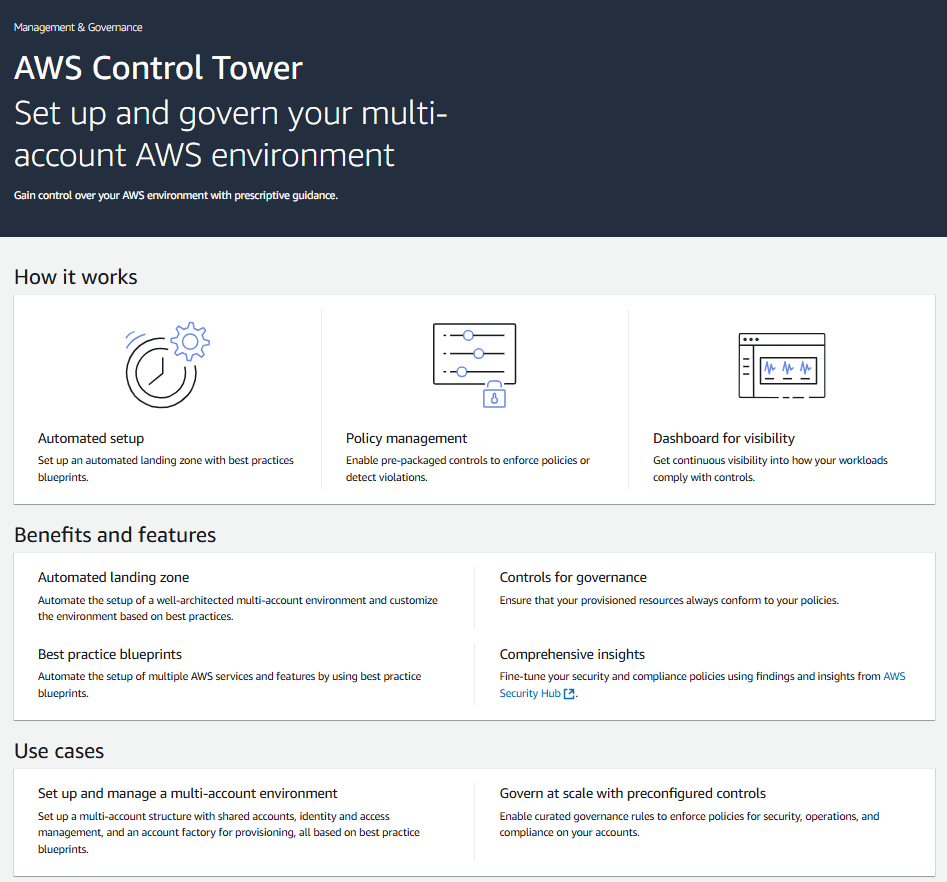
- Navigate to the AWS Control Tower console.
- Go to the Landing Zone Settings page.
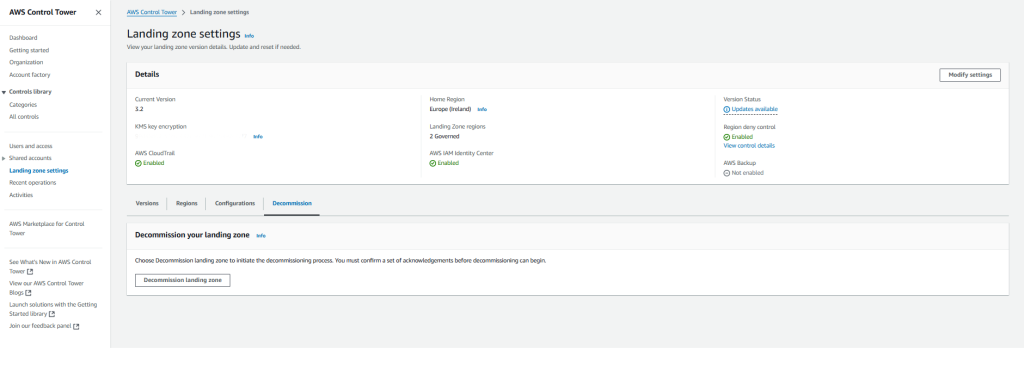
- Select the Decommission tab.

- Choose Decommission landing zone.

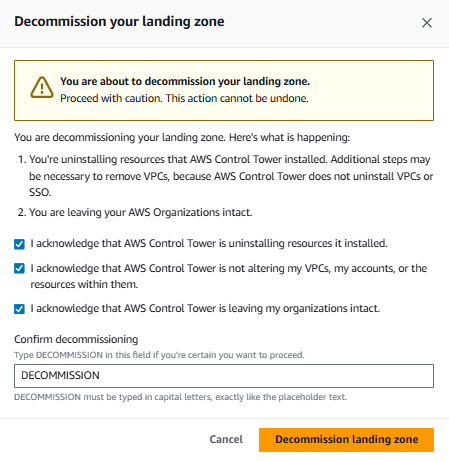
- Confirm your understanding of the process and proceed with the decommissioning.

Note: If you get the following error you need to contact AWS Support
AWS Control Tower has failed to decommission your landing zone.
An error occurred while decommissioning your landing zone: An error occurred while setting up your landing zone. Try again later. If this error persists, contact AWS Support.

Step 2: Post-Decommissioning Manual Cleanup
After the automated decommissioning process is complete,(It can take 2 hours plus) you’ll need to perform some manual cleanup tasks:
- Delete Log Groups:
Manually delete the CloudWatch Logs log group namedaws-controltower/CloudTrailLogs. - Remove or Rename S3 Buckets:
Remove or rename the two Amazon S3 buckets with reserved names for logs. These buckets were created by AWS Control Tower for storing log data. - Delete or Rename Organizational Units (OUs):
- Delete or rename the
SecurityandSandboxOUs. - To delete the
SecurityOU, first delete the logging and audit accounts (but not the management account). You’ll need to sign in as the root user to each of these accounts and delete them individually.
- Delete or rename the
- Optional: Delete IAM Identity Center Configuration:
While you can proceed with the existing IAM Identity Center configuration, you may choose to delete it manually. - Optional: Remove VPC and CloudFormation Stack Set:
If you created a VPC using AWS Control Tower, you can remove it and its associated CloudFormation stack set.
Important Considerations:
- Data Backup: Before decommissioning, back up any critical data stored in your landing zone. While AWS Control Tower doesn’t delete your data, it’s always prudent to have backups.
- Irreversibility: Decommissioning is irreversible. Once you start the process, you cannot undo it.
- Resource Artifacts: Some resource artifacts may remain after decommissioning. Be sure to clean them up to avoid potential costs and conflicts with future landing zones.
- Partial Setups: You cannot use automated decommissioning for partially set up landing zones. You must either complete the setup or manually delete the resources.
Additional Tips:
- Review the AWS Control Tower documentation for the most up-to-date information on decommissioning.
- If you encounter any issues during the decommissioning process, contact AWS Support for assistance.
This guide provides a comprehensive overview of the decommissioning process. Always refer to the official AWS documentation for the latest information and best practices.
Leave a Reply