
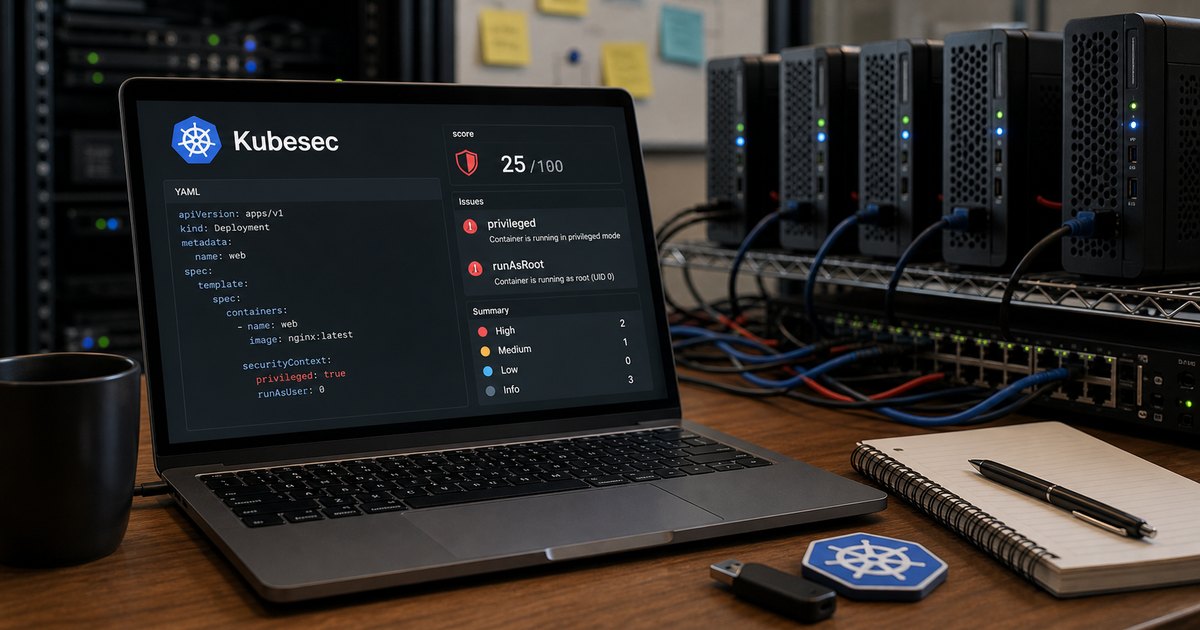
Verified 22 June 2026 against Kubesec 2.14.2 and the official project documentation.
Kubernetes security problems often begin as ordinary YAML: a container runs as root, privilege escalation is left available, Linux capabilities are broader than required, or the root filesystem stays writable for no reason.
Kubesec gives developers an early view of those choices. It is a focused manifest-risk analyser, not a complete cluster-security platform. Used well, it turns a vague review comment into a specific diff before the workload reaches a cluster.
Start with an intentionally weak manifest
apiVersion: apps/v1
kind: Deployment
metadata:
  name: demo
spec:
  replicas: 1
  selector:
    matchLabels:
      app: demo
  template:
    metadata:
      labels:
        app: demo
    spec:
      containers:
        - name: demo
          image: nginx:1.29
          securityContext:
            allowPrivilegeEscalation: true
            capabilities:
              add:
                - SYS_ADMIN
This is deliberately unsafe. SYS_ADMIN is extremely broad, privilege escalation is explicitly allowed, and there is no non-root or read-only-root-filesystem policy.
Run Kubesec locally
# JSON output, formatted for a human review
kubesec scan deployment.yaml --format json --exit-code 0 |
  jq '.[] | {
    object,
    score,
    message,
    critical: .scoring.critical,
    advise: .scoring.advise
  }'

# Run the official v2 container without installing a binary
docker run --rm -i kubesec/kubesec:v2
  scan /dev/stdin --format json --exit-code 0
  < deployment.yaml | jq
Kubesec returns a score plus rule-level reasons. A negative score is not a universal definition of “unshippable”; it is a prompt to examine the risky choices. The project also lets you select specific rules when you need a narrower policy.
Fix the manifest, not the score
apiVersion: apps/v1
kind: Deployment
metadata:
  name: demo
spec:
  replicas: 1
  selector:
    matchLabels:
      app: demo
  template:
    metadata:
      labels:
        app: demo
    spec:
      securityContext:
        seccompProfile:
          type: RuntimeDefault
      containers:
        - name: demo
          image: nginx:1.29
          securityContext:
            allowPrivilegeEscalation: false
            capabilities:
              drop:
                - ALL
            readOnlyRootFilesystem: true
            runAsNonRoot: true
            runAsUser: 101
          volumeMounts:
            - name: cache
              mountPath: /var/cache/nginx
            - name: run
              mountPath: /var/run
      volumes:
        - name: cache
          emptyDir: {}
        - name: run
          emptyDir: {}
The important work is not adding fields until Kubesec turns green. The important work is proving that the image can run without root, identifying the directories that genuinely require writes, dropping capabilities and testing the application.
This is an illustrative hardening diff, not a promise that every NGINX image will start with those settings. Image entrypoints, writable paths and user IDs differ. Do not copy runAsUser: 101 without checking and testing the exact image digest you deploy.
Pin and control the Kubernetes schema
Kubesec uses Kubernetes schemas while validating resources. Its command supports a target version and alternative schema locations:
kubesec scan deployment.yaml
  --kubernetes-version 1.36.2
  --format json
  --exit-code 0 | jq
The version format is x.y.z without a leading v. However, Kubesec 2.14.2 did not resolve the versioned upstream schema in my June 2026 test. Treat schema availability as a dependency of the pipeline, not an assumption. Mirror and test the schemas you need, then pass an explicit HTTP or local location:
kubesec scan deployment.yaml
  --kubernetes-version 1.36.2
  --schema-location /opt/kubernetes-schemas
  --format json
  --exit-code 0 | jq
Add a deliberate CI gate
Kubesec outputs findings; your CI job still needs to decide what constitutes failure. This example fails when any scanned resource contains a critical Kubesec rule and preserves the report for review. That policy is easier to explain than allowing positive advice points to offset a critical negative rule.
set -euo pipefail

kubesec scan deployment.yaml
  --format json
  --exit-code 0
  > kubesec.json

jq --exit-status
  'all(.[]; ((.scoring.critical // []) | length) == 0)'
  kubesec.json > /dev/null
Test the JSON shape against the Kubesec version you run; do not cargo-cult a jq expression into a production gate. A stronger policy may check named rules directly so an unrelated positive score cannot offset a critical negative finding.
A GitHub Actions example
name: kubesec

on:
  pull_request:
    paths:
      - "k8s/**.yaml"
      - "k8s/**.yml"

permissions:
  contents: read

jobs:
  scan:
    runs-on: ubuntu-latest
    steps:
      - uses: actions/checkout@v7

      - name: Scan rendered manifests
        run: |
          set -euo pipefail
          docker run --rm -i kubesec/kubesec:v2
            scan /dev/stdin --format json --exit-code 0
            < k8s/deployment.yaml > kubesec.json
          jq --exit-status
            'all(.[]; ((.scoring.critical // []) | length) == 0)'
            kubesec.json > /dev/null

      - name: Upload report
        if: always()
        uses: actions/upload-artifact@v7
        with:
          name: kubesec-report
          path: kubesec.json
          if-no-files-found: error
For Helm, scan the rendered output rather than only the template source:
helm template demo ./chart -f values-production.yaml |
  kubesec scan /dev/stdin --format json --exit-code 0 |
  jq
What Kubesec does not replace
- Pod Security Admission: cluster-side enforcement of Pod Security Standards.
- Policy engines: organisation-specific controls using tools such as Kyverno or Gatekeeper.
- Image scanning: package and vulnerability analysis with Trivy or another scanner.
- Runtime controls: detection and containment after a workload starts.
- Testing: proof that the hardened manifest still runs the application correctly.
The rollout I recommend
- Run Kubesec in advisory mode and review the existing baseline.
- Fix the highest-risk defaults in shared templates and Helm charts.
- Define a small set of non-negotiable rules.
- Add CI failure for those trusted rules.
- Mirror the policy at admission time so bypassing CI does not bypass the control.
- Track exceptions with an owner, reason and expiry date.
Primary documentation
Related TurboGeek guides: build a practical DevSecOps rollout, scan the container image with Trivy, and generate an SBOM from the shipped artifact.
Leave a Reply