
“Resource not accessible by integration” usually means the token reaching a GitHub API endpoint lacks the required access. The important word is reaching: changing a workflow’s permissions block does nothing for a step that is actually using a different personal access token or GitHub App token.
TL;DR
- Identify the endpoint, token type, repository and event before changing permissions.
- Use the smallest permission the endpoint requires; do not switch to write-all.
- Fork and Dependabot runs can have different effective access.
- Environment approval does not expand GITHUB_TOKEN into an organisation-wide credential.
| Symptom | Check first | Next step |
|---|---|---|
| Integration permission error | Endpoint requirements and token source | Compare the accepted permissions header |
| Only fork pull requests fail | Event and effective token restrictions | Keep untrusted runs read-only |
| Another repository is inaccessible | Token repository scope | Use an approved narrowly scoped identity |
| Secret/variable administration fails | Administrative endpoint permissions | Separate configuration administration from deployment |
Start here: collect the caller and endpoint. This guide is about GitHub API authorisation, not an AWS OIDC trust failure.
Documentation reviewed 8 September 2026; local GitHub CLI version 2.93.0. The dedicated test-repository denied/permitted runs and fork-event checks have not yet been performed. Workflow examples are templates, not recorded successful runs.
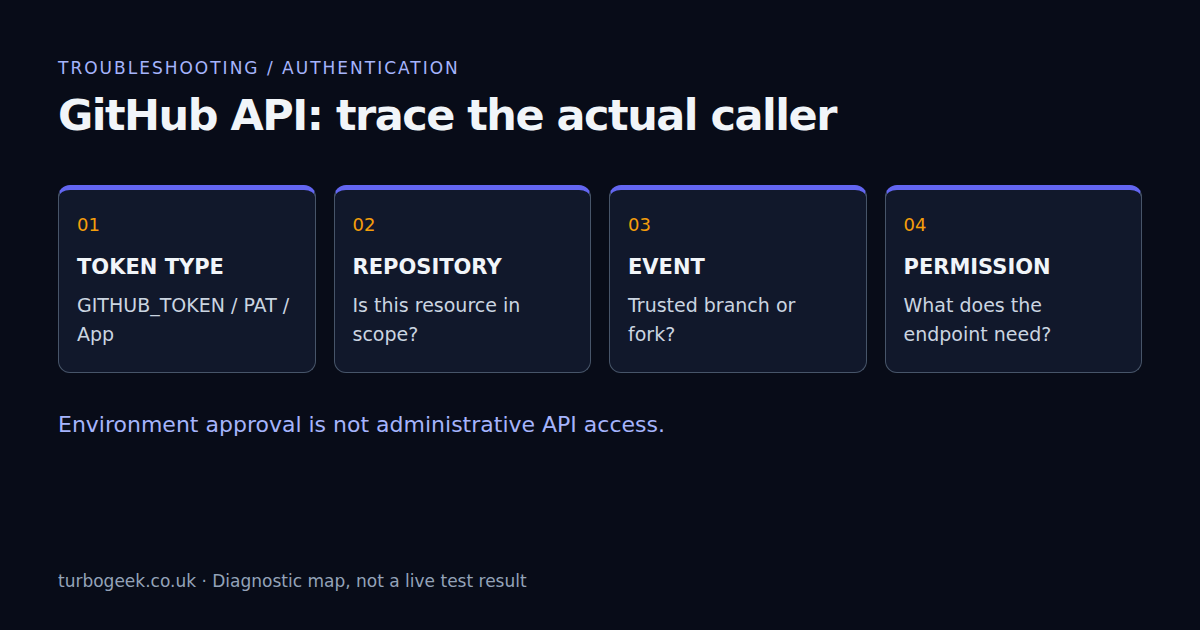
1. Identify the caller, not just the error text
Record the failing action or command, HTTP method, endpoint and event type. Is the step using GH_TOKEN: ${{ github.token }}, a secret containing a PAT, or an App token produced earlier in the job? Follow the variable into the failing step without printing its value. A familiar variable name does not prove which identity is behind it.
In a GitHub CLI step, GH_TOKEN can supply authentication. A token saved by gh auth login on a workstation is not the same thing as the workflow’s temporary GITHUB_TOKEN. If you need the CLI first, see installing gh on Ubuntu. Do not diagnose by dumping the entire GitHub context: it can contain sensitive values.
2. Read the endpoint’s required permission
Use the documentation for the exact endpoint. GitHub’s X-Accepted-GitHub-Permissions response header can identify the required permissions for an App or fine-grained token. It describes what the endpoint accepts, not a complete inventory of what your current token has.
gh api --include repos/OWNER/REPOSITORY/actions/runs --jq ".total_count"Replace the repository placeholders and use a repository you are authorised to inspect. This read-only example requests workflow-run metadata; it is not a probe for the permission to create a release, edit an environment or comment on an issue. Avoid logging full API responses when they contain private repository information.
Preserve the HTTP status and request ID. A 403 caused by rate limits needs rate-limit handling, not broader permissions. A private-resource 404 may conceal missing access rather than prove that the resource does not exist. GitHub’s REST troubleshooting reference explains these distinctions.
3. Set a narrow job-level GITHUB_TOKEN permission
For a job whose only API task is listing its own repository’s Actions runs, actions: read is the relevant permission. The following deliberately does not check out code or perform a write:
name: inspect-workflow-runs
on:
  workflow_dispatch:
permissions: {}
jobs:
  inspect:
    runs-on: ubuntu-24.04
    permissions:
      actions: read
    steps:
      - name: Read this repository workflow-run count
        env:
          GH_TOKEN: ${{ github.token }}
          TARGET_REPOSITORY: ${{ github.repository }}
run: gh api "repos/$TARGET_REPOSITORY/actions/runs" --jq ".total_count"Do not copy actions: read into an unrelated job and expect it to fix every endpoint. Repository contents, issues, pull requests, checks and deployments have different permissions. When you specify individual permissions, unspecified permissions become none; a narrowed job may therefore need an explicit contents: read if you later add checkout.
Inspect the effective GITHUB_TOKEN permissions recorded in the job setup log, then compare them with the YAML and repository policy. A reusable workflow cannot simply elevate a caller’s restricted token. GitHub documents the calculation and event restrictions in workflow syntax.
4. Treat fork and Dependabot runs as a security boundary
A workflow that succeeds on a trusted branch can fail on a fork pull request because its token is restricted and ordinary secrets are unavailable. Dependabot-triggered workflows also have special restrictions. Before changing anything, compare the event, actor and effective permissions with the successful run.
Keep analysis of untrusted contributions separate from privileged writes or deployments. Do not switch to pull_request_target and then check out and execute the contributor’s code with elevated credentials. That changes the trust boundary and can turn a permission error into a credential exposure.
If a trusted follow-up process consumes an artifact from an untrusted run, treat that artifact as untrusted input. Validate its structure and provenance; do not execute a supplied script or interpolate arbitrary text into shell commands. The intended fix may be a split workflow, not an extra permission line.
5. Distinguish GITHUB_TOKEN, PAT and App access
GITHUB_TOKEN is scoped to the workflow repository. Changing its YAML permissions does not give it access to a second private repository or organisation administration endpoints. For a justified cross-repository operation, use an approved GitHub App installation token or suitably scoped PAT with explicit access to the required repositories.
A fine-grained PAT also has a resource owner, selected repositories, permissions, expiry and potentially an approval requirement. A GitHub App must be installed where the resource lives and granted the relevant permissions. Token creation and organisational approval are administrative actions; do not mint a broader token as an unreviewed debugging shortcut.
For a classic PAT, check the documented scopes and any relevant SSO authorisation. Do not confuse its scope model with the fine-grained permission names shown in an API reference. Expired or revoked credentials require replacement through your normal process, not repeated retries.
6. Environment access is not token administration access
An Actions job selects an environment with environment: production. Protection rules can control when it starts and receives environment secrets. That does not grant its GITHUB_TOKEN the administrative permission to edit the environment or set new secrets.
Keep configuration administration separate from deployment execution. Use the gh environment secrets and variables guide to choose the intended repository and environment explicitly. Secret names can be listed by an authorised caller, but stored secret values are not retrievable through the API.
Also check that the value exists in the selected environment. A variable defined only in staging will not appear merely because a job uses a production environment. “Missing configuration” and “API token forbidden to modify configuration” are separate problems.
Verify the smallest change
In an authorised test repository, record a denied call and the same call with only the documented permission added. Then verify that an unrelated write is still unavailable and that untrusted events remain restricted. Do not run write-permission experiments against the operational repository you are trying to protect.
For the production fix, preserve the error, effective permission set and successful run ID. Remove temporary diagnostics and revoke temporary credentials when no longer needed. The DevSecOps rollout guide covers making checks enforceable; a green job alone does not prove the credential boundary is appropriate.
Leave a Reply