
When a Claude Code MCP server will not connect, separate discovery from connection. A server missing from the configuration needs a different fix from a process that crashes, an HTTP endpoint that rejects credentials, or a connected server that exposes no tools. Start at the first failing boundary; changing every setting at once hides the cause.
TL;DR
- Missing from the list: check configuration scope and project approval.
- Local process exits: verify its executable, arguments and environment.
- Protocol errors: keep logging off the stdio server’s stdout.
- HTTP failures: distinguish endpoint, transport and authentication.
- Connected but no tools: inspect the server’s capabilities before reinstalling Claude.
Start here: record the error without copying credentials, then choose the matching row below. This guide assumes Claude itself starts successfully. For workstation installation, use the Windows/WSL AI setup guide.
| Symptom | Boundary to check | First action |
|---|---|---|
| Server absent | Configuration discovery | Open /mcp in the intended project |
| Executable not found / ENOENT | Process launch | Check the exact executable on PATH |
| Unexpected text / invalid JSON | Stdio protocol | Send diagnostic logs to stderr |
| 401 or authentication required | Remote identity | Use the provider’s documented sign-in flow |
| 404 / unexpected HTML | Endpoint or proxy | Verify the MCP endpoint, not its homepage |
| Connected, zero tools | Capabilities or permissions | Reconnect; inspect the provider’s tool availability |
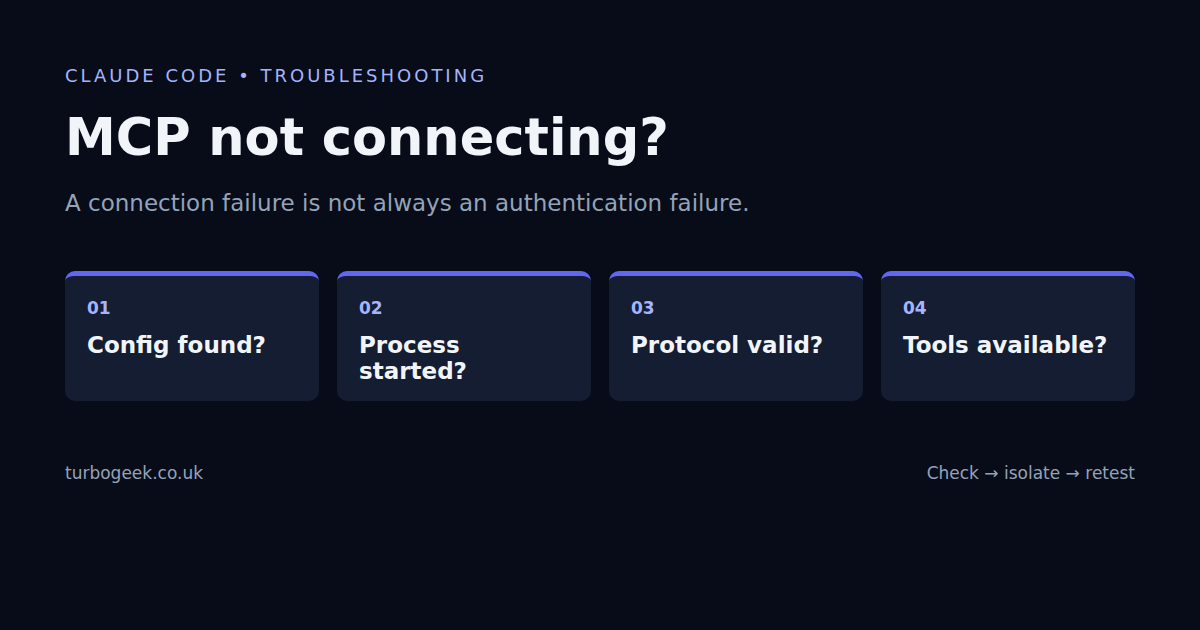
Check which configuration Claude actually loaded
Open Claude from the affected project and use /mcp. Check the server name, status and any project approval prompt. Project-scoped servers belong in .mcp.json; local and user scopes serve different purposes. Local scope is the CLI default when adding a server. A configuration added from one project is not automatically a user-wide integration.
claude --version
claude mcp add --help
claude mcp list
claude mcp get YOUR_SERVER_NAMEThe last two commands can contact or start configured servers to check their health. Run them only where you trust the configuration. Review output privately: names, paths, endpoint addresses and environment entries can reveal internal details. Do not paste the entire result into a public issue.
For a shared project definition, check that the file is valid JSON and that the server appears under mcpServers. Do not add a duplicate server at a second scope to make an error disappear. First identify the definition you intend to use and compare it with the effective configuration. Anthropic’s MCP quickstart covers scope and project approval.
For stdio, prove the executable can start
A stdio server is a child process, not an HTTP website. Claude launches its configured command and exchanges protocol messages over standard input and output. An executable lookup failure happens before authentication or tool discovery can work.
command -v node
node --version
command -v python3
python3 --versionCheck only the runtime your server uses. Then compare the configured command and arguments with the provider’s installation instructions. Absolute script paths remove ambiguity; quote paths containing spaces. A relative script path can resolve against the directory from which Claude was launched, not the directory containing the JSON file.
If the launch command uses a package runner, the first start may download dependencies. Run only a package you have reviewed and intend to trust: an MCP server can execute code with your account’s access. Pin a reviewed package version where reproducibility matters. Do not repeatedly install random alternatives while investigating a connection error.
Start the same trusted command manually in the same environment. An immediate traceback identifies a runtime or dependency problem. A process waiting quietly may be waiting for protocol input; silence alone is not a successful MCP handshake. Stop this manual process before asking Claude to launch another instance if it binds a port or holds a lock.
Keep stdout reserved for the protocol
A stdio server that prints a welcome banner to stdout can corrupt the message stream. Put diagnostics on stderr instead. Check the server itself, launch wrappers and shell startup commands; any of them can emit text before the first protocol response.
import sys

# Diagnostics belong on stderr, not the MCP message stream.
print("starting server", file=sys.stderr)Do not “fix” this by discarding all stdout: that also discards the protocol replies. Nor should you redirect stderr into stdout with 2>&1. You need separate channels, not less visibility.
What the local fixture proved
On 8 September 2026 I ran a small Python stdio fixture alongside Claude Code 2.1.261. A synthetic initialise request received a JSON-RPC reply with a server name, version and tools capability. A missing executable produced ENOENT. Prefixing the reply with a plain-text banner made the JSON parser reject it. A malformed endpoint string failed URL parsing.
I also registered the local server and missing executable in a temporary, isolated Claude configuration and ran claude mcp list. The real CLI reported the fixture connected and the missing executable failed with ENOENT. The extra-stdout and malformed-URL cases were parser checks, not Claude connection tests. No model request or third-party account was involved. The fixture’s tools list was deliberately empty: a valid connection and useful tool availability are separate checks.
For HTTP, verify transport before credentials
Confirm that the provider supports the transport you configured. A normal website URL, documentation URL or legacy endpoint is not interchangeable with its current MCP endpoint. Follow the provider’s exact path, including any required suffix. A reverse proxy returning a login page can turn an otherwise correct address into HTML rather than a protocol response.
A 401 response usually directs attention to authentication, but do not assume the credential is the only cause. Check the requested audience, account, workspace and endpoint together. A 403 can reflect permission or policy rather than an expired login. Use the provider’s documented OAuth flow through /mcp where supported; do not put a bearer token into a public URL or an example committed to Git.
A browser opening the endpoint proves little about protocol support. Conversely, an ordinary GET returning an error does not necessarily mean an MCP endpoint is broken: it may require a different request method or authenticated protocol exchange. Capture status, timestamp and a redacted error rather than sharing raw headers.
Check WSL paths and environment inheritance
A server installed in Windows is not necessarily available to a Linux Claude process. Check the executable from the WSL shell used to launch Claude, and use Linux paths for Linux scripts. Compare the working directory, runtime version and required environment-variable names. Do not print the full environment; it may contain credentials.
Environment changes made in another terminal do not retroactively update an already-running process. After deliberately updating the required configuration, restart the affected session and check again. If file access is slow rather than failing, the WSL performance guide separates filesystem delay from remote latency.
Increase a timeout only after locating the delay
If a trusted server is genuinely slow to initialise, Anthropic documents MCP_TIMEOUT in milliseconds. A longer timeout does not repair a missing executable, invalid JSON or rejected credentials. First determine whether startup is downloading packages, waiting for a network service or failing repeatedly.
MCP_TIMEOUT=60000 claudeThis applies the variable to that launch. Recheck the exact behaviour instead of making it a permanent workaround immediately. For connection diagnostics, the current CLI accepts claude --debug=mcp. Debug logs can contain sensitive paths and integration details; keep them private and redact any excerpt before sharing. See the configuration debugging guide.
Verify the fix without broadening access
- The intended server appears at the intended scope and has been approved if required.
- The process or remote endpoint completes the connection rather than merely staying open.
- The expected tools are listed for the signed-in account.
- A harmless read-only tool works against an authorised test target.
- No extra permissions, bypass flags or duplicate definitions were left behind.
If the same minimal configuration fails on a specific release, record the CLI version, operating system, transport and redacted reproduction before reporting a suspected regression. Provider-specific failures remain provider-specific until tested. The Claude Code safety guide explains why a working connection is not the same as a safe integration; skills and custom commands cover reusable instructions rather than server connectivity.
Leave a Reply