
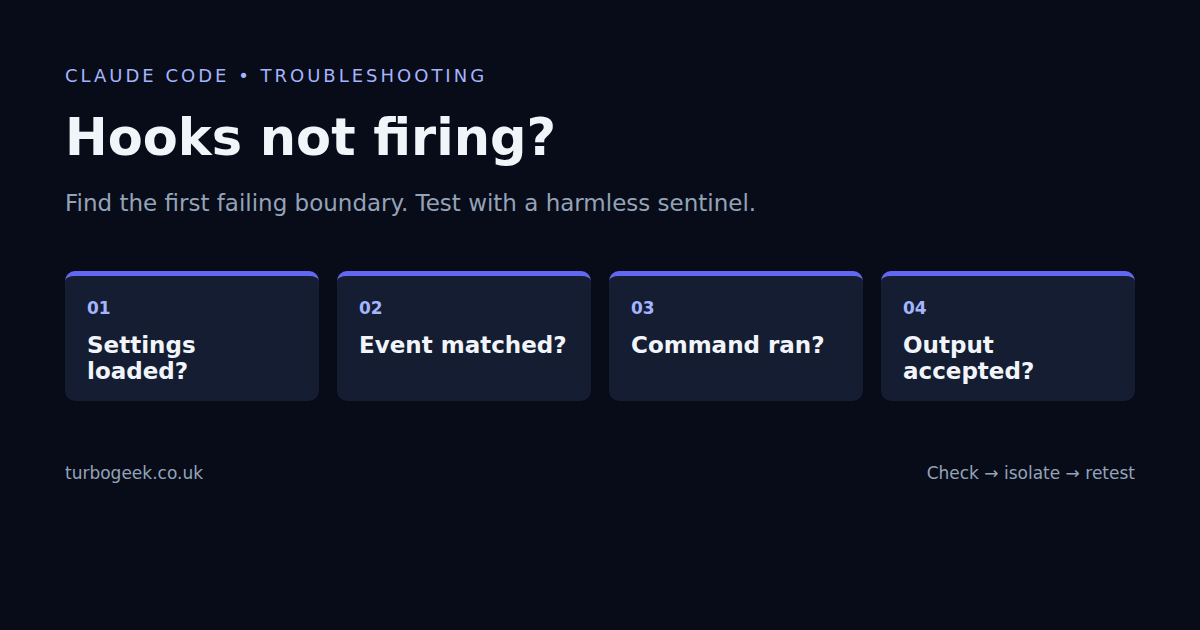
A Claude Code hook that appears not to fire can fail at four different points: its settings were not loaded, the event did not match, the command could not run, or its output was rejected. Test those boundaries in order with a harmless sentinel before debugging a formatter, deployment command or policy script.
TL;DR
- Confirm the hook appears in
/hooksin the intended project. - Use exact event names and case-sensitive tool matchers.
- Test the script independently with a synthetic JSON payload.
- Keep JSON responses alone on stdout; diagnostics go to stderr.
- Exit 2 has event-specific blocking/error behaviour; exit 1 is not the PreToolUse blocking convention.
Start here: this is a diagnostic companion to the practical hooks tutorial. Work in a disposable project, use no production credentials, and begin with a hook that reports a marker without changing files.
| Symptom | Likely boundary | Check |
|---|---|---|
| Nothing listed in /hooks | Settings discovery | File location and valid JSON |
| Listed, never triggered | Event / matcher | Exact event and tool name |
| Command not found / permission denied | Execution | Runtime, path and executable bit |
| Script runs manually, output ignored | Output contract | stdout JSON and exit status |
| Blocks repeatedly when finishing | Stop logic | Inspect stop_hook_active |
| Works in terminal, not SDK | Different runtime configuration | SDK hook interface and settings loading |
Start with a sentinel, not your real automation
Save the following as .claude/hooks/sentinel.py in an unused test project. It reads a synthetic or real hook payload, reports only the event type and never executes the command inside the payload. It requires Python 3 on PATH.
import json, sys
payload = json.load(sys.stdin)
if payload.get("hook_event_name") == "PreToolUse" and payload.get("tool_name") == "Bash":
    print("sentinel: Bash event received", file=sys.stderr)
sys.exit(0)Merge this hook entry into the test project’s .claude/settings.json. Do not replace an existing settings file wholesale. The quoted project path allows spaces; invoking Python explicitly means the script itself need not be executable.
{
  "hooks": {
    "PreToolUse": [
      {
        "matcher": "^Bash$",
        "hooks": [
          {
            "type": "command",
            "command": "python3 \"$CLAUDE_PROJECT_DIR/.claude/hooks/sentinel.py\""
          }
        ]
      }
    ]
  }
}Open /hooks in that project and confirm the entry appears. Start a fresh session after an external configuration change, or follow any review/reload prompt shown by your installed version. Ask for a harmless Bash operation such as true and inspect hook diagnostics. A request answered without a Bash tool call will not trigger a Bash matcher.
Separate script tests from Claude dispatch
printf '%s\n' '{"hook_event_name":"PreToolUse","tool_name":"Bash","tool_input":{"command":"true"}}' | python3 .claude/hooks/sentinel.py
printf 'exit status: %s\n' "$?"The expected diagnostic is sentinel: Bash event received on stderr with exit status 0. Change Bash to Read: this script should stay silent and still exit 0. Malformed input should fail JSON parsing. None of these direct tests asks Claude to run a tool.
I ran those three cases on 8 September 2026 with Python 3.14 and Claude Code 2.1.261 installed: matching input produced the marker, nonmatching input produced none, and malformed JSON exited 1. This validates the example script, not Claude’s matcher engine or a complete agent session. The final in-session check is still necessary on your installation.
Check settings discovery and the event name
Ordinary project hooks live under the top-level hooks key in .claude/settings.json; user hooks can live in ~/.claude/settings.json. Project-local settings and managed policy can also affect the effective configuration. A standalone hooks.json copied from a plugin example is not interchangeable with ordinary project settings.
python3 -m json.tool .claude/settings.json >/dev/null
claude --version
claude --helpJSON syntax checking catches missing commas and invalid quoting, not every schema mistake. Use the in-session hook menu to confirm discovery. Check your launch wrapper too: modes that intentionally disable customisations can disable hooks. For example, the installed CLI’s help explicitly describes --safe-mode and --bare as skipping hooks.
Do not reduce the lifecycle to four events. PreToolUse runs before a tool, PostToolUse follows a successful tool call, and PostToolUseFailure handles failed tool calls. Stop concerns Claude finishing a response; it is not the same as the session terminating. See the current hook event reference for the event your task actually needs.
Match the tool name, not its arguments
For tool events, a matcher targets the tool name. ^Bash$ matches Bash, not Read; ^(Write|Edit)$ targets those two file tools. Case matters. A pattern such as npm test is not a tool-name matcher merely because Bash might run that command. Inspect tool_input.command inside a Bash hook when you need command-specific logic.
MCP tool names include their server and tool components. Copy the actual tool name from a redacted diagnostic rather than guessing it from a friendly display label. Events without tool context need their own documented matching rules; do not copy a Bash matcher into a Stop hook and expect it to select shell operations.
Verify command execution in the same environment
A script working in your interactive shell does not guarantee it will work under the hook runner. Check the interpreter, dependency installation, working directory and file permissions. Use explicit project-root paths for project files. In WSL, avoid mixing Windows executable paths with Linux script paths unless you deliberately configured that boundary.
command -v python3
python3 --version
test -r .claude/hooks/sentinel.py && printf 'script is readable\n'For shell scripts, check syntax with bash -n path/to/hook.sh. If executing a script directly, check its shebang and executable permission. If invoking it through bash or python3, confirm that interpreter exists. Keep stderr visible while diagnosing; suppressing every error makes a launch failure look like an event mismatch.
Treat stdout and exit status as an API
A command hook can use structured JSON output with exit 0. Keep that stdout to one JSON object; a debug banner or shell-profile message can break parsing. Write ordinary diagnostics to stderr. Input arrives on stdin, but the event’s payload determines which fields exist: tool_input belongs to tool events, not every lifecycle event.
For PreToolUse, exit 2 is the blocking-error convention. Other nonzero statuses normally report a nonblocking hook error rather than denying the action. Exit 0 by itself does not grant broad permission; normal permission handling remains. Check the event-specific contract before copying an exit code into another kind of hook.
A failed post-tool hook cannot undo a tool operation that already happened. Similarly, a string match for one dangerous shell command is not a complete security boundary: different commands, interpreters and encodings can perform the same operation. Keep normal permissions and isolation in place. The safety guide covers the wider boundary.
Check Stop loops and ordering assumptions
A Stop hook that asks Claude to continue can run again when Claude next tries to finish. Inspect stop_hook_active and make the hook’s stopping condition achievable. A notification hook should not demand more work merely to announce that work is done.
Do not use separate hooks as an ordered pipeline. Where commands must run in sequence, place that sequence inside one script and preserve failures deliberately. For example, piping a test runner into tail can hide its exit status unless the shell handles pipeline failures correctly. Keep test results visible and avoid automatic commits of every changed file.
Distinguish the CLI from an SDK integration
This guide’s settings examples target Claude Code command hooks. An application using the Agent SDK may register callbacks programmatically and choose which settings sources it loads. A working CLI settings file is not proof that an SDK application uses it. Check the SDK version, its hook registration and its configuration-loading options rather than translating the CLI example mechanically.
Verify one boundary at a time
- The hook appears in the effective configuration.
- A harmless action really produces the expected event.
- The matcher selects the intended tool and excludes a control case.
- The command runs with the required interpreter and paths.
- stdout and status obey that event’s documented contract.
- The real automation is restored one step at a time, without extra permissions.
Use claude --debug=hooks when you need execution diagnostics, checking the installed CLI help first. Redact paths and payload details before sharing logs. The official hooks guide is the reference for current lifecycle behaviour; skills and custom commands solve a different problem: reusable instructions, not guaranteed event execution.
Leave a Reply