
TL;DR
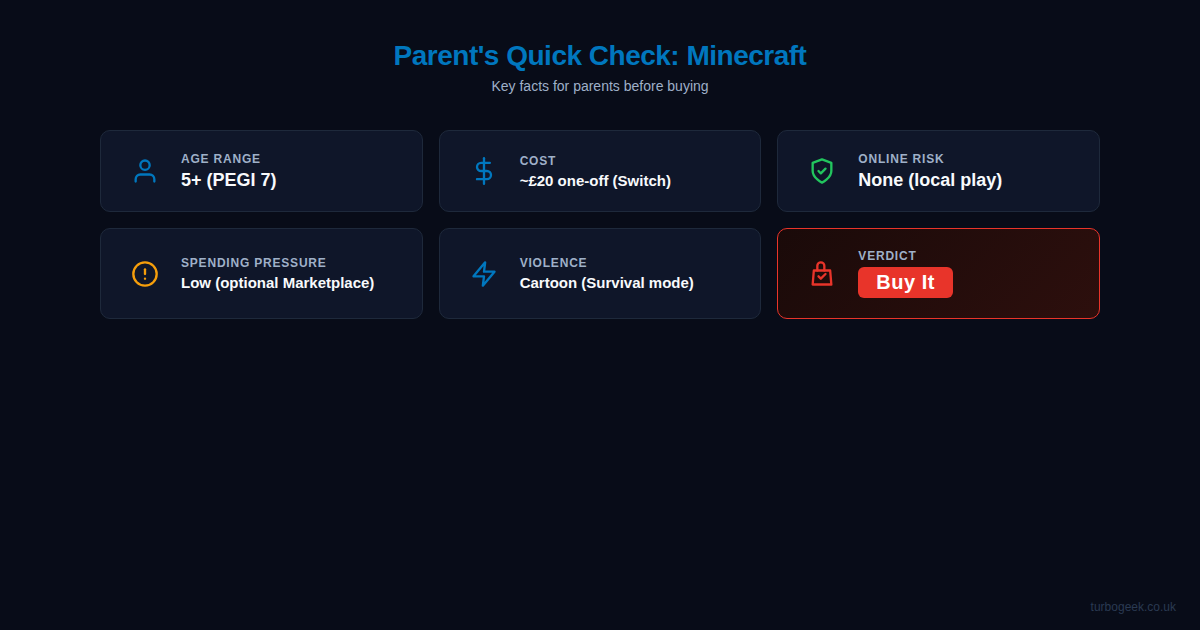
- What it is: A digital building/survival sandbox — think Lego on a screen
- Age: PEGI 7, but kids from 5 upwards play it fine
- Cost: Around £20 one-off on Switch, no subscription needed
- Online risk: Zero if you stick to local play
- Spending: Optional skin packs, not predatory
- Verdict: Buy it. Safe, creative, hundreds of hours of value
If you have kids between about 5 and 12, you have almost certainly been asked to buy Minecraft. Possibly more than once. Possibly with increasing urgency. This guide covers what you actually need to know before handing over your card details — written by a dad of two boys who play it regularly.
New to the gaming section? Start with why I review games differently as a dad, or browse the full gaming hub.
What Minecraft Actually Is
Minecraft is a sandbox game where everything is made of blocks. You can build things, dig things up, explore caves, and craft tools. The easiest way to explain it to another adult: it is digital Lego with no instructions. There is no story to follow, no levels to complete, and no real objective beyond whatever the player decides to do. Some kids build houses. Some dig holes. Some just wander around looking at pigs.
There are two main modes. Creative mode gives you unlimited blocks and lets you fly around building whatever you want. Survival mode drops you into a world where you need to gather resources, build shelter, and deal with basic enemies at night. Both are fine for kids — Creative is completely stress-free, and Survival is about as threatening as a Scooby-Doo episode.
Who It’s Marketed To vs Who Actually Plays It
The PEGI rating is 7, which means the content has been assessed as suitable for children aged 7 and over. In practice, kids as young as 4 or 5 play it without any issues — particularly in Creative mode, where there is nothing to worry about at all. It is one of the most played games in the world, and a huge chunk of its audience is under 12.
Minecraft does not try to be edgy, violent, or cool. It looks deliberately blocky and unthreatening. If your child is asking for it, they have probably seen it on YouTube or heard about it at school. It is genuinely mainstream — this is not some niche thing you need to research heavily.
What Parents Should Know About Content
Minecraft is not violent in any meaningful sense. In Creative mode, there is no combat at all. In Survival mode, blocky zombies and skeletons appear at night and you hit them with a sword. They flash red and disappear. There is no blood, no gore, no realistic violence of any kind. It is comparable to bopping a Goomba in Mario.
There is no bad language, no sexual content, no gambling mechanics, and no advertising. It is one of the cleanest mainstream games available. If you are worried about content, Minecraft should be very low on your list of concerns.
Age Suitability in Real Terms
My two boys are 10 and 7. Both play Minecraft on the Nintendo Switch. The youngest started when he was 5, the eldest when he was 7. They had no trouble picking it up on the Switch controllers.
That said, they play it very differently. My eldest builds properly — houses, farms, elaborate structures with actual plans. My youngest mostly just walks around looking at things. He will spend twenty minutes staring at a waterfall or following a chicken. He is not really “playing” it in any structured sense, but he is perfectly happy, and that is fine.
If your child is 5 or 6, Creative mode is the right starting point. If they are 7 or older and comfortable with basic gaming, Survival mode on Easy difficulty is fine.
Difficulty and Frustration
In Creative mode, there is zero difficulty. You cannot die, you have unlimited materials, and you can fly. It is a pure sandbox. Younger kids will have no frustrations here.
Survival mode has a bit more to it. You need to find food, build shelter before nightfall, and deal with enemies when it gets dark. The night-time enemies can be slightly spooky for very young children — not because of graphic content, but because it gets dark and things jump out. If your child is easily startled, stick with Creative or set the difficulty to Peaceful, which removes all enemies.
Monetisation and Spending
This is one of Minecraft’s genuine strengths. You buy the game once for around £20 on Nintendo Switch (prices vary slightly by platform), and that is it. There is no subscription, no battle pass, and no pay-to-win mechanics.
There is a Marketplace where you can buy skin packs, texture packs, and pre-built worlds using a currency called Minecoins. My boys have bought a few skin packs — they cost a couple of pounds each. It is entirely optional and does not affect gameplay in any way. They just like making their character look different. The spending pressure is low compared to something like Fortnite or Roblox, where monetisation is significantly more aggressive.
Online and Social Risk
If your child plays Minecraft on a Nintendo Switch in local mode — which is how my boys play — the online risk is zero. They are building in their own world with no connection to anyone else.
Minecraft does have online multiplayer, but it is opt-in. You have to deliberately set it up, and on consoles like the Switch, parental controls can restrict online access entirely. If you leave it as a local, offline game, there is no chat, no strangers, no social risk whatsoever.
If your children do want to play together, the Switch version supports local split-screen on the same console, which is ideal.
Is It Good Value?
Honestly, Minecraft might be the best value game you can buy for a child. Twenty pounds for something they will potentially play for hundreds of hours across several years. My eldest has been playing for three years and still goes back to it regularly. Compare that to a cinema trip for four that costs £50 and lasts two hours.
There are no ongoing costs unless you choose to buy cosmetic items from the Marketplace, and even those are cheap. As a cost-per-hour investment, it is hard to beat.
Final Advice
Buy it. It is safe, it is creative, it lasts forever, and it will not try to drain your bank account. Your child will be occupied for hours building things you do not understand, and that is absolutely fine.
I will be honest — I do not really get the appeal myself. I have watched my boys play it and I cannot see what keeps them coming back. But they are happy, they are being creative (or at least the eldest is — the youngest is mostly following chickens), and I have never once worried about the content. For a parent, that is about as good as it gets.
Start with Creative mode for younger kids, set parental controls if you want to lock out online play, and let them get on with it. You have got bigger things to worry about than Minecraft.