
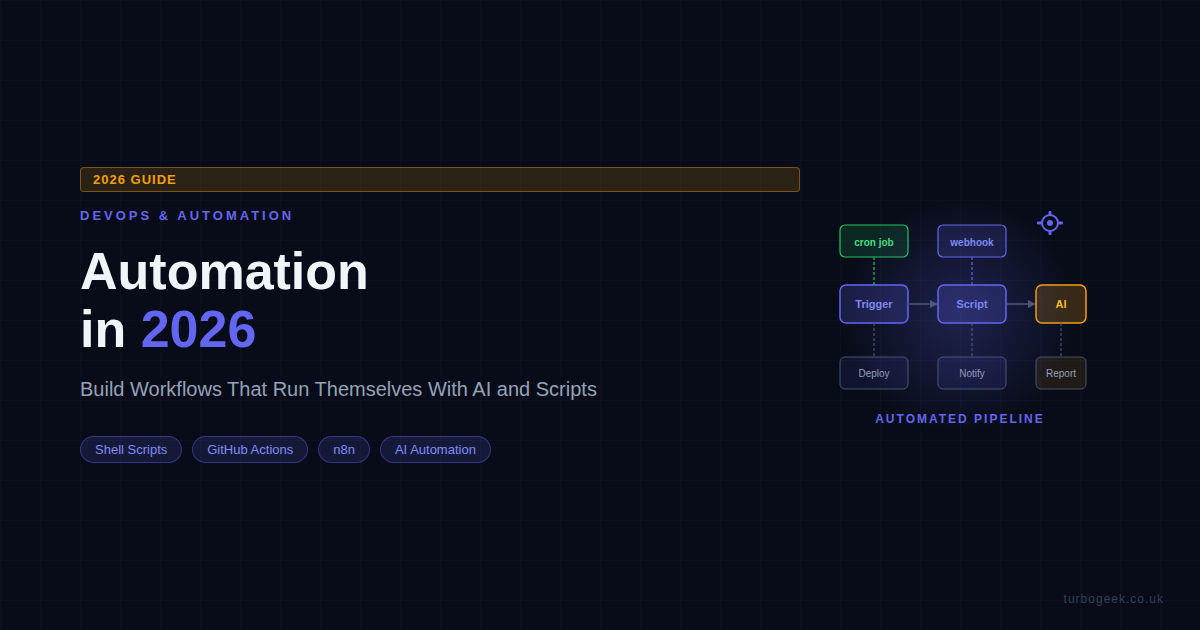
The engineers who scale aren’t the ones who work harder — they’re the ones who’ve automated everything they’ll ever need to do twice. In 2026, that gap is wider than ever: AI, webhooks, cron, and CI/CD pipelines have made it possible to build workflows that literally run themselves. Here’s how I build them, and what actually saves time versus what sounds good in blog posts.
TL;DR
- Shell scripts and cron are still the most reliable automation foundation — don’t skip them for shinier tools.
- GitHub Actions handles the full dev workflow: build, test, deploy, and scheduled tasks all from one YAML file.
- AI genuinely helps with script generation, PR summaries, and release notes — but it doesn’t replace well-structured pipelines.
- n8n and Make connect everything else: Slack, email, webhooks, and APIs with visual no-code flows.
- Event-driven pipelines (webhook → script → notify) are the gold standard for scalable, reactive automation.
| Automation Type | Tool | Best For |
|---|---|---|
| Time-based tasks | cron / systemd timers | Nightly backups, reports, cleanup |
| Dev workflow automation | GitHub Actions | CI/CD, PR checks, scheduled jobs |
| No-code integrations | n8n / Make / Zapier | Cross-app automation, event routing |
| Script generation | Claude / GPT | Writing bash/Python from plain English |
| Codebase automation | Claude Code | PR summaries, refactoring, release notes |
| Event-driven pipelines | Webhooks + shell scripts | Reactive workflows triggered by events |
New to automation? Start with The Building Blocks of Automation — it covers the foundations everything else is built on.
The Building Blocks of Automation in 2026
Before you reach for n8n or GitHub Actions, it’s worth understanding what automation actually means at a systems level. Every automated workflow is a loop: something triggers it, logic runs, an action happens. That’s it. The tool you use determines how easy it is to express that loop — but the loop is always the same.
In 2026, you’ve got more trigger options than ever: a scheduled cron job, an HTTP webhook, a file change, an incoming Slack message, a Git push, a database row inserted. Any of these can kick off a chain of actions. The best engineers I know think about their workflows in terms of triggers and effects, not in terms of specific tools.
The three layers that matter most:
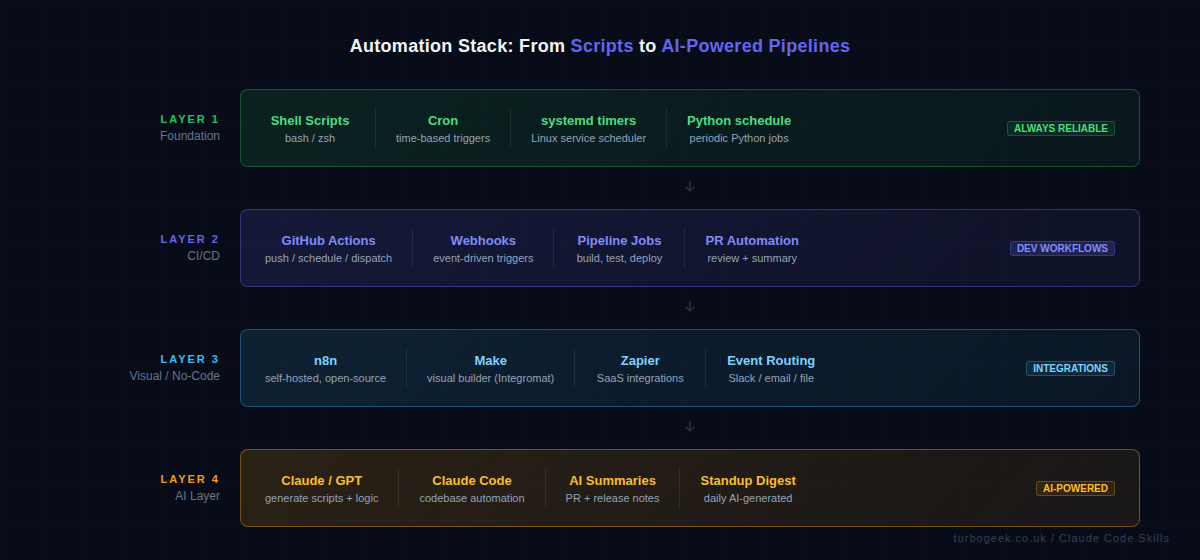
- Foundation: Shell scripts, cron, Python scripts — reliable, composable, runs anywhere.
- Orchestration: GitHub Actions, CI/CD pipelines — manages multi-step workflows with dependencies.
- Integration: n8n, Make, Zapier, webhooks — connects different services and APIs.
AI now sits across all three layers — generating the scripts, summarising the outputs, and making decisions that used to require a human in the loop.
Three real automation examples you can adapt today
Enough framing. Here are the three forms of automation I actually use, in increasing order of complexity. Pick the smallest one that solves your problem and graduate only when you genuinely outgrow it.
Cron + bash (the boring foundation)
systemd timer (when you need missed-run handling)
GitHub Actions (when the work belongs in the repo)
Three different homes for the same idea: a trigger, some logic, an action. Cron wins for “this server, this script”. systemd timers win when missed runs matter (laptops, intermittent VMs). Actions wins when the automation is about your code rather than a server. None of them needs n8n, Make, or Zapier until you genuinely cross app boundaries.
Shell Scripts + Cron: The Still-Underrated Foundation
I keep seeing developers skip straight to GitHub Actions or n8n for things that a 20-line bash script and a cron job would handle perfectly. Shell scripts have been running production automation since the 1970s because they’re fast, portable, and composable. A bash script that runs every night to clean up old files, rotate logs, send a digest, or back up a database is about as reliable as it gets.
Cron syntax is worth knowing cold. On Linux you also have systemd timers as an alternative — they integrate with the service manager, give you better logging via journald, and support more sophisticated schedules. But for most tasks, cron is fine and universally available.
Here’s a practical example: a cron job that runs a backup script every night at 2am and emails on failure.
Python’s schedule library is worth a mention here too. If you want human-readable scheduling logic inside a Python script — rather than wiring up a separate cron entry — it handles the loop for you.
Run this under a systemd service so it survives reboots and you’ve got a self-managing task runner without any external dependencies.
GitHub Actions: Automating Dev Workflows End to End
GitHub Actions is where most developer automation lives now, and for good reason. It’s event-driven by default — you define what triggers a workflow (a push, a PR, a schedule, a manual dispatch), and GitHub handles the rest. No server to maintain, no agent to install, just YAML and runners.
The triggers I use most: push for running tests on every commit, schedule for nightly jobs, and workflow_dispatch for manually triggerable tasks. Combining all three in one file gives you a workflow that runs automatically and can be kicked off on demand.
Here’s a real-world example: a workflow that runs tests on every push, does a nightly dependency audit, and can be manually triggered for a full build.
Real automation wins I’ve got from GitHub Actions: automated PR summaries posted as comments, release notes generated from commit messages, dependency update PRs opened automatically via Dependabot integration. The DevOps side of this is covered in DevOps Hacks for 2026 — read that alongside this post for the full picture.
AI-Powered Automation: Where It Actually Helps
I’ll be direct: AI doesn’t replace well-structured pipelines. What it does do is eliminate the bottleneck of having to write the glue code yourself. The two places where I’ve found AI genuinely useful for automation in 2026 are script generation and content summarisation.
Script generation: I describe what I want in plain English — “a bash script that checks all running Docker containers, identifies ones using more than 80% of their memory limit, and logs their names to a file” — and Claude or GPT produces a working script in seconds. I review it, adjust it, and it goes into production. This used to take 20 minutes of Stack Overflow and man pages. Now it takes 90 seconds.
Content summarisation: this is where AI adds real workflow value. Automated PR summaries (what changed, why, risks), daily standup digests (what was merged yesterday), and release notes generated from commit history. These used to require a human to write — now a GitHub Action can call the Claude API, summarise the diff, and post the result as a PR comment automatically.
Claude Code takes this further: it can operate directly on your codebase, running refactoring tasks, answering questions about the code, and executing multi-step automation across files — all from the CLI or within a CI job.
If you’re using Microsoft 365, SharePoint in 2026 has some native automation features worth pairing with these workflows — particularly Power Automate for document processing and approval chains that feed into your broader pipeline.
Connecting It All: Webhooks, APIs and Event-Driven Pipelines
The most scalable automation pattern isn’t scheduled — it’s reactive. Event-driven pipelines listen for something to happen and respond immediately. A Git push fires a webhook. The webhook triggers a build script. The build script posts a Slack notification when it’s done. No polling, no delays, no cron jobs checking if something happened.
Setting up a webhook-triggered script on Linux is straightforward. Here’s a simple webhook receiver in bash using nc (netcat) — in production you’d use something like a small Flask app or a tool like webhook by adnanh, but this shows the pattern clearly.
For more complex cross-service automation, n8n is my recommendation over Zapier. It’s open-source, self-hostable (meaning your data never leaves your infrastructure), and has native nodes for GitHub, Slack, email, HTTP requests, and hundreds of other services. Here’s what a simple n8n workflow definition looks like in JSON — this one listens for a GitHub webhook and posts a formatted Slack message.
The power of n8n over raw scripts is the visual debugging and the retry logic built in. When a step fails you can see exactly which node failed, inspect the input and output, and re-run from that point. That observability is worth the self-hosting overhead for teams running complex multi-step automations.
What is the best tool for automating developer workflows in 2026?
It depends on the workflow type. For CI/CD and anything Git-adjacent, GitHub Actions is the default choice — it’s deeply integrated, has a massive ecosystem of pre-built actions, and the YAML-based config lives in your repo. For cross-service automation involving Slack, email, databases, and external APIs, n8n (self-hosted) or Make are the best options. For simple scheduled tasks on Linux, cron and bash scripts remain the most reliable choice. The answer in practice is usually a combination: shell scripts as the execution layer, GitHub Actions for triggering and orchestrating them, and n8n for connecting external services.
How do I automate repetitive tasks on Linux with a shell script?
Start by identifying the exact commands you run manually and in what order. Write those as a bash script — one command per line, with error handling via set -e at the top (which stops the script on the first error). Save it somewhere predictable like /home/youruser/scripts/, make it executable with chmod +x script.sh, and then add a cron entry with crontab -e to schedule it. Use 2>&1 | tee -a /var/log/script.log to capture both stdout and stderr to a log file you can inspect later. For tasks that need to survive reboots and run as a service, create a systemd unit file and timer instead of cron — it gives you better observability via journalctl.
Can AI really help with automation, or is it just hype?
Genuinely useful, not hype — but you need to be specific about where. AI is excellent at generating the boilerplate and glue code that makes automation tedious to write: the bash script that parses JSON, the Python that calls an API and formats the response, the YAML workflow you’re not quite sure how to structure. It saves real time on the writing side. Where it doesn’t replace humans yet is in the design of the automation architecture — deciding what to automate, how to trigger it, what to do on failure, and how to monitor it. Use AI as a fast code generator and reviewer, not as a system architect. The combination of solid pipeline design (your job) and AI-generated implementation code (Claude’s job) is genuinely faster than either alone.
Ready to level up the rest of your DevOps setup? DevOps Hacks for 2026 covers the tools, tricks and workflows that make development teams measurably faster.
Leave a Reply