
TL;DR
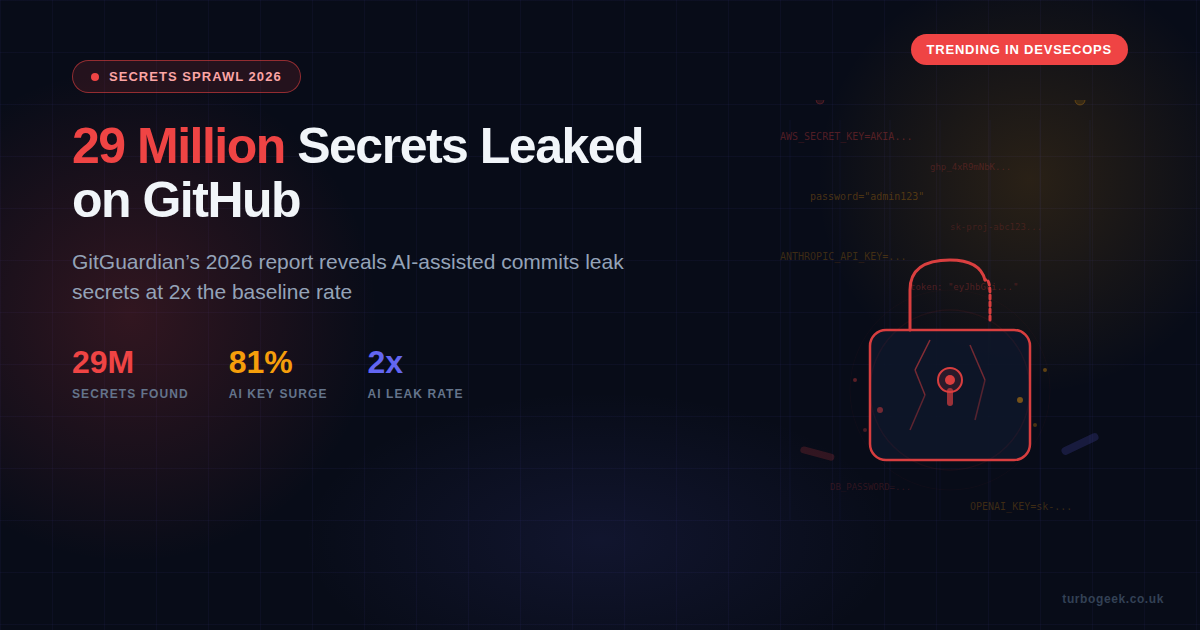
- The numbers: 29 million hardcoded secrets detected on GitHub in 2025, up 34% year on year
- AI is making it worse: AI-assisted commits leak secrets at roughly 2x the baseline rate
- AI keys are the target: Leaked credentials for AI services surged 81%
- Nobody revokes: 64% of secrets first leaked in 2022 are still active in 2025
- How to fix it: Pre-commit hooks, vault integration, rotation policies, and CI/CD scanning gates
New to this topic? Start with the Why AI Tools Make It Worse section for the core problem, then jump to Practical Prevention for actionable steps you can implement today.
| Topic | When It Matters | Key Action |
|---|---|---|
| Pre-commit scanning | Every commit | gitleaks detect --source . |
| Environment files | Project setup | Add .env to .gitignore |
| Vault integration | Any production secret | Use AWS Secrets Manager / HashiCorp Vault |
| AI config audit | When using MCP / Claude Code | Check MCP configs for embedded keys |
| Secret rotation | Every 90 days minimum | Automate with your cloud provider |
| CI/CD gates | Every pull request | Block merge on secret detection |
The 2026 State of Secrets Sprawl
GitGuardian’s 2026 State of Secrets Sprawl report landed in March 2026 and the headline figure is staggering: 29 million hardcoded secrets were detected across public GitHub repositories in 2025. That is a 34% increase on the previous year’s 21.6 million, and it shows no sign of slowing down.
But the raw number only tells part of the story. The more troubling finding is where the growth is coming from. AI-service credentials — API keys for platforms like OpenAI, Anthropic, and other machine-learning services — surged by 81% year on year. As organisations race to integrate AI into their workflows, they are leaking the keys to those services at an alarming rate.
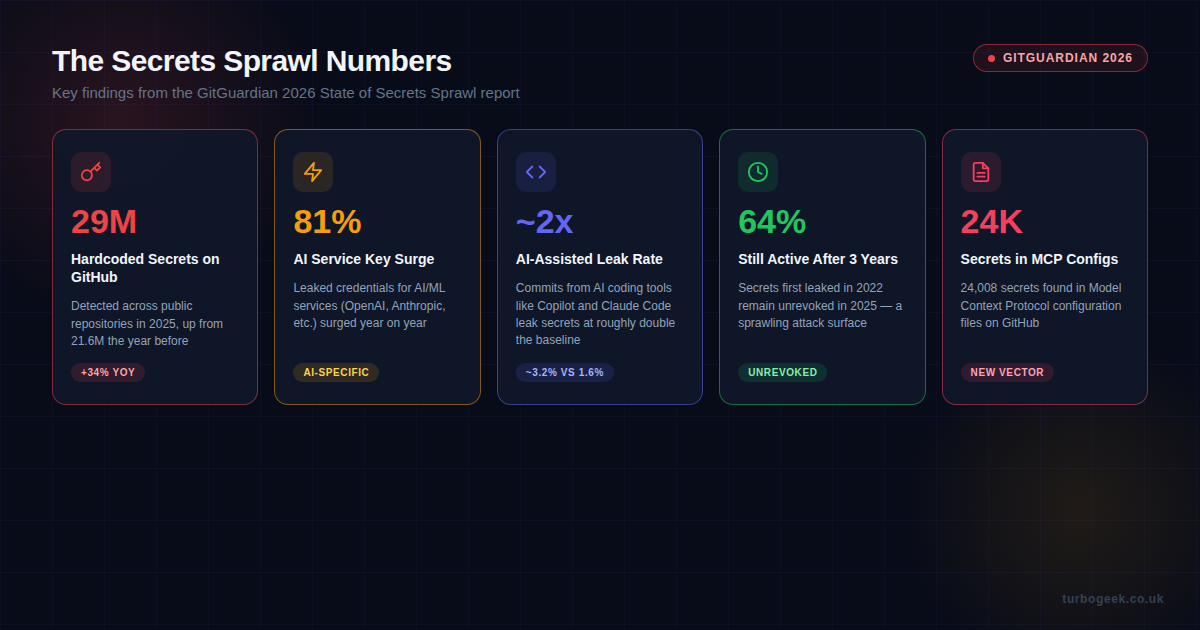
The report also highlights a new attack vector that many teams have not considered: Model Context Protocol (MCP) configuration files. GitGuardian found 24,008 secrets embedded in MCP config files on GitHub. These files often contain API keys, database credentials, and access tokens that developers include for convenience, not realising they are being committed alongside their code.
Perhaps the most concerning statistic is the one about remediation — or rather, the lack of it. 64% of secrets first detected in 2022 were still active and unrevoked in 2025. Organisations are detecting leaks but not acting on them, leaving a sprawling attack surface that grows larger with every passing quarter.
Why AI Coding Tools Make It Worse
If you are using Copilot, Claude Code, Cursor, or any other AI coding assistant, you need to pay attention to this section. The GitGuardian report found that commits generated with AI assistance have a secrets leak rate of approximately 3.2%, compared to a baseline of around 1.6% for human-only commits. That is roughly double the rate.
Why does this happen? There are three main reasons:
1. Context windows ingest secrets
AI coding tools work by reading your codebase to understand context. When your project contains .env files, configuration files, or inline credentials, the AI ingests those values. It then reproduces them in generated code, test files, documentation, or example configs. The AI is not being malicious — it is doing exactly what it was asked to do: write code that works with your existing setup.
2. Generated code defaults to hardcoded values
When an AI generates a database connection string, an API client initialisation, or a configuration file, it tends to include concrete values rather than environment variable references. A human developer might instinctively write process.env.DATABASE_URL, but an AI will often write "postgresql://user:password@localhost:5432/mydb" because that is the pattern it has seen most frequently in training data.
3. Speed reduces review
One of the main benefits of AI coding tools is speed. Developers accept generated code more quickly, commit more frequently, and push faster. This reduces the time available for review, and secrets that would have been caught in a manual code review slip through. The velocity gain comes at the cost of reduced scrutiny.
I have written before about using Claude Code with automated workflow checks, and this is exactly the kind of risk that a well-configured workflow should catch. If your AI assistant is generating commits without any pre-commit scanning, you are flying blind.
Practical Prevention: Six Layers of Defence
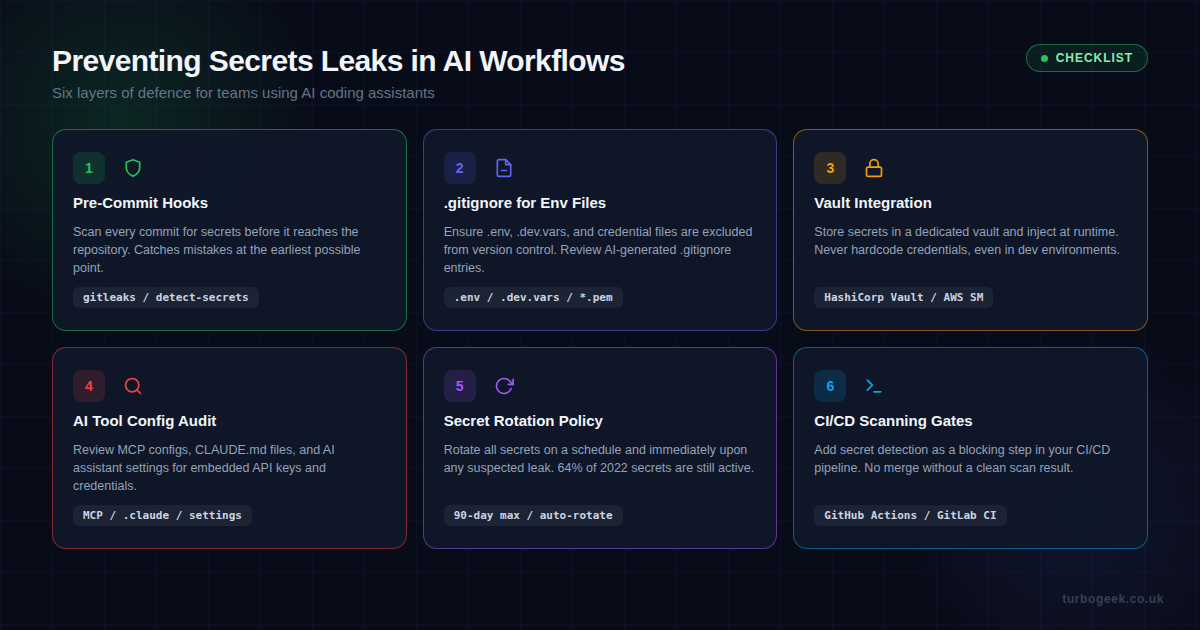
The good news is that preventing secrets leaks is not a hard problem — it is a discipline problem. Here are six layers of defence that, when combined, make it extremely difficult for a secret to reach your repository.
Layer 1: Pre-Commit Hooks
This is your first and most important line of defence. A pre-commit hook runs before every commit and blocks it if secrets are detected. Two excellent tools for this are gitleaks and detect-secrets.
Here is how to set up gitleaks as a pre-commit hook:
# Install gitleaks
brew install gitleaks  # macOS
# or download from https://github.com/gitleaks/gitleaks/releases

# Create pre-commit hook
cat > .git/hooks/pre-commit << 'HOOK'
#!/bin/bash
gitleaks detect --source . --verbose --redact
if [ $? -ne 0 ]; then
  echo "Secrets detected! Commit blocked."
  echo "Review the findings above and remove any credentials."
  exit 1
fi
HOOK
chmod +x .git/hooks/pre-commitFor teams, I recommend using the pre-commit framework so the hook configuration lives in version control and is consistent across all developers:
# .pre-commit-config.yaml
repos:
  - repo: https://github.com/gitleaks/gitleaks
    rev: v8.21.2
    hooks:
- id: gitleaksLayer 2: .gitignore for Environment Files
This sounds basic, but the GitGuardian report shows it is still being missed. Every project should have a .gitignore that excludes sensitive files. Here is a minimum set:
# .gitignore - secrets exclusions
.env
.env.*
.dev.vars
*.pem
*.key
*.p12
credentials.json
service-account*.json
.claude/settings.local.jsonCritically, review what your AI assistant generates for .gitignore. AI tools sometimes create overly permissive ignore files or miss newer file patterns like MCP configuration files.
Layer 3: Vault Integration
Hardcoded secrets exist because developers need values at runtime. The solution is a secrets vault that injects credentials at runtime without ever writing them to disk or source code. The two most common options are:
- AWS Secrets Manager — native integration with Lambda, ECS, and other AWS services; automatic rotation support
- HashiCorp Vault — cloud-agnostic, supports dynamic secrets, works with any infrastructure
Here is a minimal example of fetching a secret from AWS Secrets Manager in Node.js, instead of hardcoding it:
import { SecretsManagerClient, GetSecretValueCommand } from '@aws-sdk/client-secrets-manager';

const client = new SecretsManagerClient({ region: 'eu-west-2' });

async function getSecret(secretName) {
  const response = await client.send(
    new GetSecretValueCommand({ SecretId: secretName })
  );
  return JSON.parse(response.SecretString);
}

// Usage: const dbCreds = await getSecret('prod/database');Layer 4: AI Tool Configuration Audit
This is the layer most teams miss entirely. If you are using Claude Code with MCP servers, Copilot with custom extensions, or any AI tool with configuration files, you need to audit those configs for secrets. GitGuardian found 24,008 secrets in MCP configuration files alone.
Common places secrets hide in AI tool configurations:
claude_desktop_config.json— MCP server definitions often include API keys inlineCLAUDE.md— project instructions may reference credentials (use environment variables instead).cursor/settings.json— custom tool integrations with embedded tokens.github/copilot-instructions.md— may include example API calls with real keys
Run a targeted scan on these files regularly. If you are already using gitleaks, add a custom rule to flag these specific paths.
Layer 5: Secret Rotation Policy
The 64% unrevoked statistic from the report is a damning indictment of current practices. Even if a secret leaks, rotating it immediately limits the blast radius. Every team should have:
- A maximum 90-day rotation schedule for all secrets
- Immediate rotation when any leak is detected
- Automated rotation where supported (AWS Secrets Manager handles this natively)
- An inventory of all active secrets so you know what to revoke
Layer 6: CI/CD Scanning Gates
Your final layer of defence should be a blocking step in your CI/CD pipeline. If a secret makes it past the pre-commit hook (perhaps a developer bypassed it), the pipeline should catch it before merge. Here is a GitHub Actions example:
# .github/workflows/secrets-scan.yml
name: Secrets Scan
on: [pull_request]
jobs:
  gitleaks:
    runs-on: ubuntu-latest
    steps:
      - uses: actions/checkout@v4
        with:
          fetch-depth: 0
      - uses: gitleaks/gitleaks-action@v2
        env:
GITHUB_TOKEN: ${{ secrets.GITHUB_TOKEN }}This runs on every pull request and blocks the merge if any secrets are detected. Combined with branch protection rules requiring the check to pass, it creates a hard gate that nothing can bypass.
What This Means for Claude Code Users
I use Claude Code extensively and have written about building skills, AI hooks and workflow automation, and using Claude Code alongside other tools. Claude Code is excellent, but it is not immune to this problem. Any AI tool that reads your project context can inadvertently include secrets in generated code.
Here are specific steps for Claude Code users:
- Use
.claudeignoreto exclude sensitive files from Claude Code’s context window - Reference environment variables in CLAUDE.md, not actual credential values
- Audit your MCP server configurations for embedded API keys — use environment variable substitution instead
- Set up pre-commit hooks in every repository where Claude Code operates
- Review generated code before accepting — search for strings that look like API keys, tokens, or passwords
The Bottom Line
The GitGuardian 2026 report makes one thing clear: AI coding tools are accelerating development, but they are also accelerating secrets sprawl. The 29 million secrets on GitHub are not a problem for someone else — if you are using AI to write code and you do not have pre-commit scanning in place, the odds are that you have already leaked something.
The fix is not to stop using AI tools. The fix is to wrap them in the same security controls you would apply to any other part of your development workflow. Pre-commit hooks, vault integration, rotation policies, and CI/CD gates. None of these are new ideas. But with AI tools generating code at unprecedented speed, they have never been more important.
Start with gitleaks. It takes five minutes to set up and it will catch the majority of accidental leaks before they ever reach your repository. That is the single best return on investment you will get from any security tool this year.
Related reading: If you are building with Claude Code, see my guides on using Claude Code alongside other tools, building Claude Code skills, and practical Claude Code workflows.
Leave a Reply