

TL;DR – CrackArmor on Ubuntu
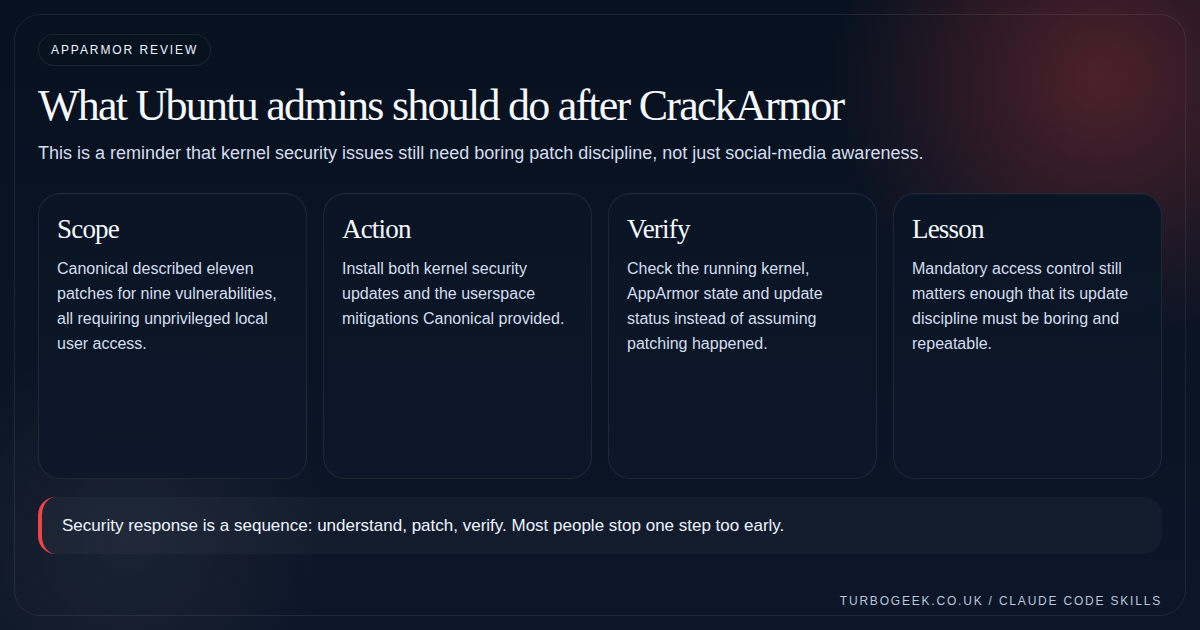
- Canonical published guidance on March 12, 2026: eleven patches addressed nine vulnerabilities in the AppArmor story.
- The company explicitly recommends both kernel and userspace updates: one without the other is not the full response.
- All of the issues require unprivileged local user access: that does not make them optional if you run multi-user systems or risky workloads.
- Check the running kernel and AppArmor state after patching.
Start here: If you only need the action plan, jump straight to the verification section below and keep Linux SSH Hardening Checklist or your normal hardening checklist nearby so this becomes part of routine hygiene rather than one-off drama.
| Topic | When | What to do |
|---|---|---|
| Single-user lab | Low user exposure | Patch anyway, but urgency is easier to sequence. |
| Shared server | Local users or many workloads | Treat this as a higher-priority maintenance item. |
| Desktop fleet | Many endpoints | Push kernel and userspace updates through normal channels quickly. |
| Compliance environment | You need evidence | Capture update state and verification output. |
Canonical published security guidance for CrackArmor on March 12, 2026. The name covers a group of vulnerabilities discovered by Qualys in the Linux kernel’s AppArmor implementation.
Qualys described nine underlying vulnerabilities addressed through eleven kernel patches. Canonical tracks eleven associated kernel CVE identifiers, with potential effects including denial of service, kernel-memory disclosure, removal of security controls, local privilege escalation and theoretical container escape. All require an attacker to execute code locally, but that includes code running inside an attacker-controlled container.
The practical response is straightforward:
- Install the current Ubuntu kernel and package updates.
- Reboot into the updated kernel.
- Check the running kernel against Canonical’s fixed-version table.
- Confirm that AppArmor is enabled and enforcing profiles.
- Check the system’s wider security-update coverage with
pro security-status.
Do not treat aa-status or pro security-status alone as proof that CrackArmor has been fixed. Each command answers a different question.
Last reviewed: June 23, 2026. Canonical continues to update its CrackArmor vulnerability page as kernel fixes become available for additional variants.
TL;DR
For most supported Ubuntu systems, use:
sudo apt update
sudo apt upgrade
sudo reboot
After reconnecting:
uname -r
dpkg-query -W -f='${Package}\t${Version}\n' \
  "linux-image-$(uname -r)"

dpkg -l 'sudo*' 'util-linux' | grep '^ii'
sudo aa-status
pro security-status
pro system reboot-required
Then compare the running kernel package with Canonical’s current fixed-version table for the exact Ubuntu release and kernel variant.
Canonical recommends installing both the kernel fixes and the relevant sudo and util-linux updates. Userspace hardening reduces exploitation opportunities on conventional hosts, but it does not replace the kernel update. (Ubuntu)
Quick reference
| Check | What it tells you |
|---|---|
uname -r | Which kernel release is currently running |
dpkg-query ... "linux-image-$(uname -r)" | The full package version of the running Ubuntu kernel |
dpkg -l 'linux-image*' | Which Ubuntu kernel images are installed |
dpkg -l 'sudo*' 'util-linux' | Installed userspace mitigation versions |
sudo aa-status | Whether AppArmor is loaded and which profiles are enforcing |
pro security-status | Security coverage and available package updates |
pro fix --dry-run CVE-ID | Whether the Pro Client considers the system affected by a particular CVE |
pro system reboot-required | Whether Ubuntu reports that another reboot is required |
What CrackArmor means for Ubuntu administrators
AppArmor is a Linux Security Module and mandatory access control system enabled by default on Ubuntu. Its profiles restrict what individual applications can access, reducing the damage that a compromised process can cause.
The CrackArmor vulnerabilities affect AppArmor code in the Linux kernel. Canonical lists eleven kernel CVEs:
CVE-2026-23268
CVE-2026-23269
CVE-2026-23403
CVE-2026-23404
CVE-2026-23405
CVE-2026-23406
CVE-2026-23407
CVE-2026-23408
CVE-2026-23409
CVE-2026-23410
CVE-2026-23411
Canonical also documents a separate sudo vulnerability, CVE-2026-35535, which can be chained with the AppArmor issues in certain host configurations. The su utility supplied by util-linux exhibited unsafe behaviour that facilitated exploitation, although Canonical does not classify that behaviour as a separate CVE. (Ubuntu)
How urgent is the update?
The correct priority depends on what the machine runs.
Conventional hosts without container workloads
On hosts that do not execute containers, exploiting the AppArmor kernel vulnerabilities generally requires a cooperating privileged application, such as a setuid program. Qualys identified su as one route.
Canonical updated util-linux to harden su and released updates for affected sudo packages. These userspace updates reduce the practical attack surface, but Canonical still recommends installing the kernel update. (Ubuntu)
Container hosts
The risk model is different when a host executes potentially malicious or attacker-controlled container images.
Canonical says the kernel vulnerabilities may be reachable from those containers without a cooperating privileged host application. A theoretical container escape could result, although Canonical said practical container escape had not been demonstrated when its guidance was published.
For container environments, the corrected kernel is the available remediation. Updating sudo and util-linux is not an adequate substitute. (Ubuntu)
Suggested priority
| Environment | Suggested response |
|---|---|
| Developer workstation with one trusted user | Patch through normal security-maintenance procedures |
| Shared shell or multi-user server | Prioritise the update and reboot |
| Container host running third-party images | Treat the kernel update as urgent |
| CI/CD runner executing untrusted jobs | Treat as a high-priority maintenance item |
| Desktop or server fleet | Deploy updates centrally and record the rebooted kernel |
| Compliance-controlled environment | Retain package versions, reboot evidence and AppArmor status |
“Local access required” does not mean “low risk” when users, containers, build jobs or automation can execute code on the host.
Step 1: Identify the Ubuntu release and running kernel
Start by recording the operating-system release and current kernel:
cat /etc/os-release
uname -r
On a normal Ubuntu kernel installation, retrieve the complete package version for the running kernel:
dpkg-query -W -f='${Package}\t${Version}\n' \
"linux-image-$(uname -r)"
You can list all installed Ubuntu kernel images with:
dpkg -l 'linux-image*' | grep '^ii'
The distinction matters because installing a corrected kernel package does not change the kernel currently running in memory. The system remains on the old kernel until it reboots.
It is also important to identify the precise kernel variant. Generic, AWS, Azure, GCP, Oracle, Raspberry Pi, HWE, OEM, low-latency, real-time and FIPS kernels have separate package versions and may receive fixes at different times. Canonical publishes a variant-specific fixed-version table on its CrackArmor vulnerability page. (Ubuntu)
Step 2: Check security coverage before patching
Refresh APT’s package information:
sudo apt update
Then inspect the system’s current security coverage:
pro security-status
pro security-status is the current Ubuntu Pro Client command. It reports installed package counts, outstanding security updates and whether packages are covered by standard Ubuntu maintenance or Expanded Security Maintenance.
It does not certify that the active kernel contains every CrackArmor fix. Use it to check package security coverage, not as a replacement for comparing the running kernel with Canonical’s fixed-version table. (Ubuntu Documentation)
On older Ubuntu releases, the output may show that applicable updates require Ubuntu Pro and ESM. That is particularly relevant when the standard support period for the release has ended.
Step 3: Install the available updates
Canonical’s recommended general update procedure is:
sudo apt update
sudo apt upgrade
Review the proposed changes before confirming them, particularly on production servers.
There is no need to use apt full-upgrade solely for CrackArmor. full-upgrade permits package removals to resolve dependencies and is broader than Canonical’s published remediation instructions. (Ubuntu)
Install only the userspace mitigations
Where a full upgrade cannot be performed immediately, the userspace updates can be installed directly:
sudo apt update
sudo apt install sudo util-linux
These package updates do not require a reboot to begin protecting the affected userspace paths. They should be treated as interim hardening, not as a replacement for the corrected kernel. (Ubuntu)
Target the installed kernel meta-packages
Canonical also documents this command for upgrading installed Linux kernel meta-packages:
sudo apt update
dpkg-query -W -f '${source:Package}\t${binary:Package}\n' |
awk '$1 ~ "^linux-meta" { print $2 }' |
xargs sudo apt install --only-upgrade
For most systems, a normal sudo apt upgrade is simpler. The targeted route is mainly useful when change control prevents a general package upgrade. (Ubuntu)
Step 4: Reboot into the corrected kernel
Kernel security updates do not replace the kernel already running in memory. Reboot after installing the updated kernel:
sudo reboot
Canonical explicitly requires a reboot for the CrackArmor kernel fixes to become active. Automatic updates may install the new package, but they do not remove the need to boot into it. (Ubuntu)
Before restarting a remote production system, confirm that:
- You have console or out-of-band access.
- The new kernel package installed successfully.
- The bootloader configuration was generated without errors.
- Encrypted systems have an accessible recovery key.
- Cluster or load-balancer traffic has been drained where necessary.
Step 5: Verify the running kernel after reboot
After the machine returns, run:
uname -r
dpkg-query -W -f='${Package}\t${Version}\n' \
"linux-image-$(uname -r)"
Also list the installed images:
dpkg -l 'linux-image*' | grep '^ii'
Compare the full package version of the running kernel with Canonical’s current CrackArmor table for the exact release and kernel variant.
For example, do not compare an AWS kernel against the generic kernel row or an HWE kernel against the original general-availability kernel. The package names and minimum fixed versions differ.
A newer kernel package merely appearing in dpkg -l is not enough. The value returned by uname -r must correspond to the corrected package that the system actually booted.
Step 6: Verify sudo and util-linux
Inspect the installed userspace packages:
dpkg-query -W -f='${Package}\t${Version}\n' \
sudo sudo-ldap util-linux 2>/dev/null
Alternatively:
dpkg -l 'sudo*' 'util-linux' | grep '^ii'
Compare the versions with Canonical’s current mitigation table.
The required versions differ between Ubuntu releases. For example, a package version appropriate for Ubuntu 24.04 must not be used as the comparison point for Ubuntu 22.04 or 20.04. Canonical’s table should remain the source of truth because the affected-release information may be updated. (Ubuntu)
Step 7: Check AppArmor’s operational state
Run:
sudo aa-status
The output should indicate that the AppArmor kernel module is loaded and show the number of profiles in enforce, complain or unconfined states.
This command answers questions such as:
- Is AppArmor enabled?
- Were profiles loaded?
- How many profiles are enforcing policy?
- Which processes are confined?
It does not tell you whether the running kernel contains the CrackArmor patches.
A system can show healthy AppArmor enforcement while still running an affected kernel. Conversely, a patched kernel does not guarantee that the applications you care about are covered by enforcing profiles.
Step 8: Use the Ubuntu Pro Client correctly
Check general package security coverage with:
pro security-status
Check whether another reboot is required:
pro system reboot-required
Possible reboot-status results include:
noyesyes-kernel-livepatches-applied
Even when Livepatch has temporarily supplied relevant live kernel fixes, Canonical’s command may still report that the machine should be rebooted during an appropriate maintenance window. (Ubuntu Documentation)
To inspect a particular CVE without changing the system, use:
pro fix --dry-run CVE-2026-23268
Replace the identifier with another CrackArmor CVE as required.
pro fix --dry-run can report whether the system is affected and whether a fix is available. It should be considered supporting evidence rather than a replacement for checking the active kernel package and Canonical’s complete variant-specific table. (Ubuntu Documentation)
A practical verification sequence
The following sequence provides a useful change record:
# Record the platform before updating
cat /etc/os-release
uname -r
dpkg-query -W -f='${Package}\t${Version}\n' \
  "linux-image-$(uname -r)"
dpkg-query -W -f='${Package}\t${Version}\n' \
sudo sudo-ldap util-linux 2>/dev/null
# Refresh metadata and inspect coverage
sudo apt update
pro security-status
# Install available updates
sudo apt upgrade
# Check whether Ubuntu expects a reboot
pro system reboot-required
# Reboot to activate the new kernel
sudo reboot
After reconnecting:
# Confirm which kernel is now active
uname -r
dpkg-query -W -f='${Package}\t${Version}\n' \
  "linux-image-$(uname -r)"
# Confirm userspace package versions
dpkg-query -W -f='${Package}\t${Version}\n' \
  sudo sudo-ldap util-linux 2>/dev/null
# Check AppArmor and wider security state
sudo aa-status
pro security-status
pro system reboot-required
Keep the command output with the maintenance record where audit evidence is required.
What successful remediation looks like
A host should meet all of the following conditions:
- Its APT metadata is current.
- The corrected kernel package for its release and kernel variant is installed.
uname -rshows that the machine is running that corrected kernel.- The applicable
sudoandutil-linuxupdates are installed. aa-statusshows AppArmor loaded with the expected profiles enforcing.pro security-statusshows no relevant security updates still pending.pro system reboot-requiredno longer reports an outstanding normal reboot.- The result has been recorded across every applicable fleet member, not just one test host.
No single command proves all of these conditions.
Common mistakes
Checking only aa-status
aa-status verifies AppArmor’s current operating state. It does not test for the vulnerable kernel code.
Checking only pro security-status
pro security-status reports package security coverage and pending updates. It does not, by itself, prove that the updated kernel is active.
Installing the kernel without rebooting
The new files may be present on disk while the vulnerable kernel continues running in memory.
Comparing only the major kernel version
Two systems can both report a 6.8-based kernel while running different Ubuntu security revisions. Check the complete package version and correct kernel variant.
Updating only sudo and util-linux
Those packages harden conventional host exploitation paths. They do not repair the vulnerable kernel and are not sufficient for container hosts.
Using apt full-upgrade without reviewing removals
That command can remove packages to resolve dependency changes. Canonical’s CrackArmor guidance calls for apt upgrade.
Assuming unattended upgrades completed the job
Unattended upgrades may install the package automatically, but a kernel update normally remains inactive until the machine boots it.
FAQ
Does CrackArmor allow remote exploitation?
Canonical describes the vulnerabilities as requiring unprivileged local code execution. That does not necessarily mean an interactive shell account: attacker-controlled container code, a compromised application or an untrusted CI job may provide the required local execution context. (Ubuntu)
Is a single-user Ubuntu desktop affected?
Potentially, depending on its Ubuntu release and kernel package. Its exposure may be lower than that of a shared server or container host, but it should still receive the normal security updates and reboot.
Do I need Ubuntu Pro?
Supported Ubuntu releases receive applicable fixes through their normal update channels. Older releases outside standard security maintenance may need Ubuntu Pro with the relevant ESM services enabled.
Use:
pro status
pro security-status
to inspect the machine’s attachment and coverage state. (Ubuntu Documentation)
Does Livepatch remove the need to reboot?
Do not assume so. Check:
pro system reboot-required
The command may report that live kernel patches have been applied while still recommending a reboot during the next suitable maintenance window. (Ubuntu Documentation)
Can I disable AppArmor instead?
No. Disabling AppArmor removes a security control and is not a remediation for vulnerabilities in its kernel implementation. Install the corrected packages and keep the intended confinement policy enabled.
Is the ubuntu-security-status command still appropriate?
Use:
pro security-status
Current Ubuntu documentation presents this as the preferred command. Ubuntu 22.04 release notes also state that the older tooling should prefer pro security-status when it is available. (Ubuntu Documentation)
Final recommendation
CrackArmor should be handled as a normal but important kernel-security maintenance event:
- Identify the release and kernel variant.
- Install the available kernel,
sudoandutil-linuxupdates. - Reboot.
- Confirm the full package version of the running kernel.
- Check AppArmor’s operational state.
- Use the Ubuntu Pro Client to check wider update coverage and reboot status.
- Preserve evidence across managed fleets.
The work should be boring, repeatable and measurable. “APT completed successfully” is not the end state; the corrected kernel must actually be running.
Authoritative sources
- Canonical: CrackArmor vulnerability knowledge base. (Ubuntu)
- Canonical: AppArmor vulnerability fixes available. (Ubuntu)
- Canonical: Ubuntu Pro CLI reference. (Ubuntu Documentation)
- Canonical: Interpreting
pro security-status. (Ubuntu Documentation) - Qualys: CrackArmor security advisory. (Qualys)
Related next steps
- Linux SSH Hardening Checklist
- Ubuntu Server First 30 Minutes: The Setup Checklist I’d Use Every Time
- Free Up Disk Space on Linux Quickly
- Ubuntu 26.04 LTS Security Changes That Actually Matter
- Real-time Ubuntu Is Free in 26.04: Who Should Actually Use It?
- Rust Coreutils and sudo-rs on Ubuntu 26.04: Will You Notice the Difference?
Leave a Reply