
TL;DR
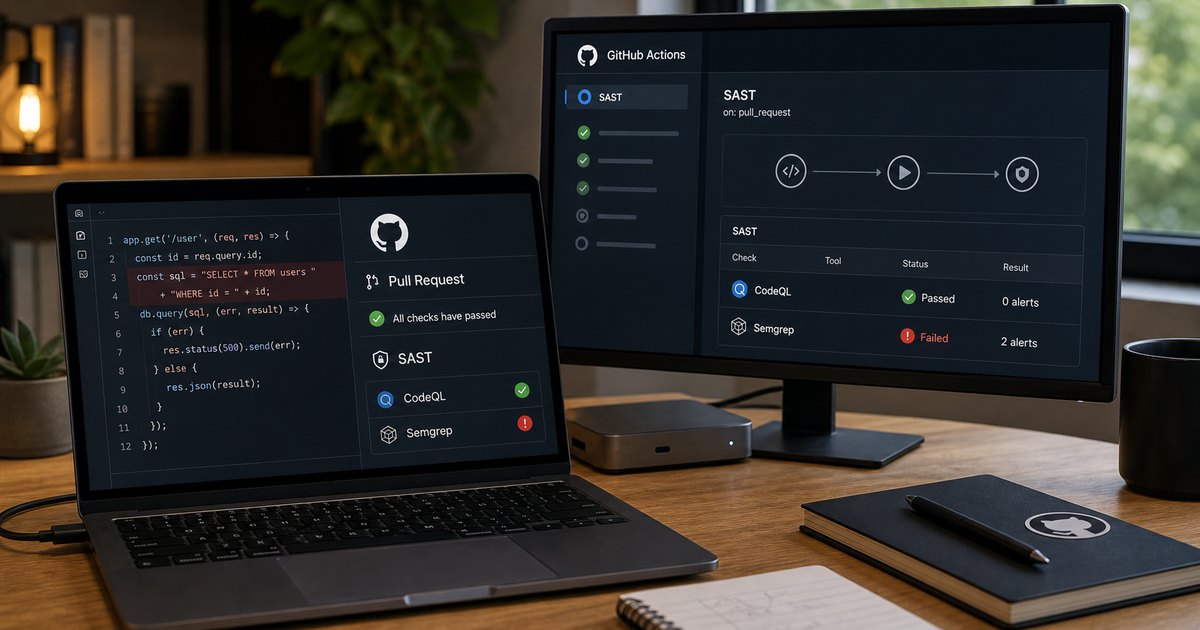
- SAST = Static Application Security Testing — scans source code for vulnerabilities without running it.
- Run on pull requests so issues surface before merge — review fatigue is real, post-merge findings get ignored.
- Common stacks: CodeQL (GitHub-native), Semgrep (multi-language, rule-driven), language-specific (gosec, bandit, brakeman).
- Pair SAST with secret scanning and SCA — one layer alone misses too much.
What is SAST in GitHub Actions?
Static Application Security Testing analyses source code (or compiled bytecode) for security issues without running the program. It’s the earliest practical place in the SDLC to catch vulnerabilities — earlier than DAST (which requires a deployed app), earlier than penetration testing, earlier than waiting for a production incident.
GitHub Actions is a natural place to run SAST because it’s already on the path between commit and merge. Configure it to run on pull requests with status-check gating, and the developer who introduced the issue is the one who fixes it — while the change is still in their head. Running SAST only on the default branch is a common anti-pattern: findings pile up, nobody owns them.
Prerequisites
- A GitHub repository with Actions enabled.
- Maintainer role to add workflow files and configure required status checks.
- An understanding of which SAST tool fits the language(s) in your repo (CodeQL is broad, Semgrep is fast, language-specific tools go deeper).
How to use this guide
The sections below walk through the practical commands and options. After the main content you’ll find a Verification block (sanity-check it actually worked), a Troubleshooting block (common error messages and what to do), and Related reading for follow-on topics.
SAST stands for Static Application Security Testing.
In GitHub Actions, SAST refers to running automated security checks on your source code during a workflow, typically on pull requests, pushes, or scheduled scans. The tool analyzes the code without executing the application.
SAST is most valuable when it comments on risky code while the author still has the file open. It is least valuable when it dumps hundreds of historical findings onto the default branch and teaches the team to treat static analysis as wallpaper.
GitHub Actions is a good home for SAST because the pull request is already the review point. The question is not whether to add a scanner. The question is how to choose a rule set and workflow that developers will still respect three months later.
TL;DR
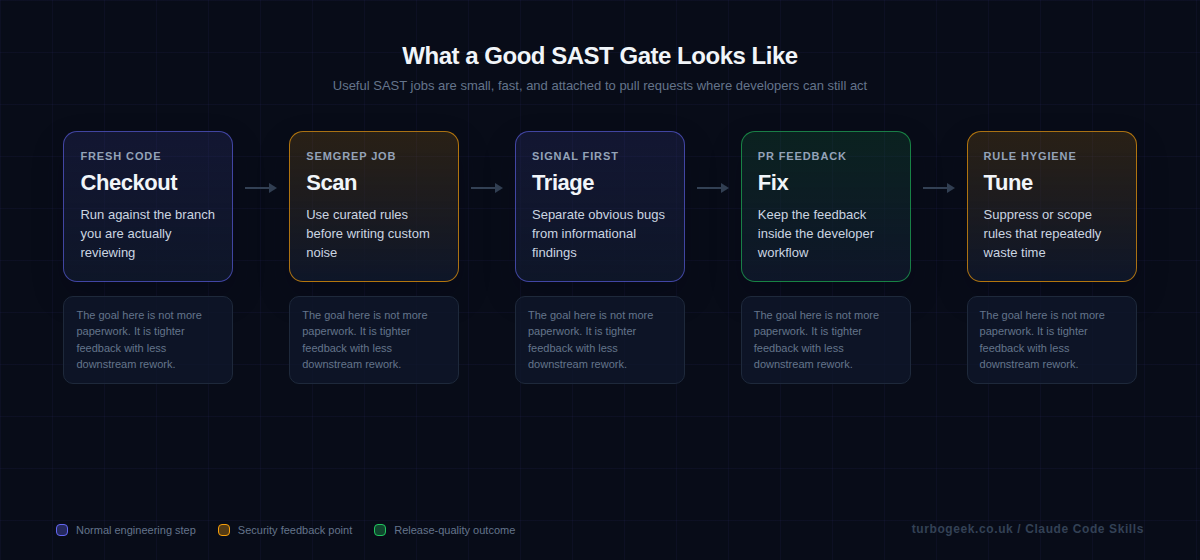
- Put SAST on pull requests where developers can still act on the result quickly.
- Start with curated rules and a small blocking set before you write custom checks.
- If a rule repeatedly wastes time, tune it or remove it rather than telling developers to ignore it.
- Treat SAST as code review assistance first and a hard gate second.
| Goal | Tooling | Example |
|---|---|---|
| Developer-facing PR feedback | Semgrep CI | semgrep ci |
| GitHub-native code scanning | CodeQL | github/codeql-action |
| Local experimentation | CLI scan | semgrep scan |
| Policy tuning | Rule curation | only block what you will fix |
Start here: Start with What SAST catches well. You get better pipelines when you are honest about both the strengths and the blind spots.
Step-by-step: enable SAST in GitHub Actions
Start with the smallest setup that still gives developers useful feedback. In practice, that means turning on CodeQL, letting the initial scan complete, and only then layering in additional scanners or branch protection.
- Open the repository on GitHub, then go to Repo > Settings > Security > Code security and analysis. Under Code scanning, start with the default setup unless you already know you need a custom workflow.
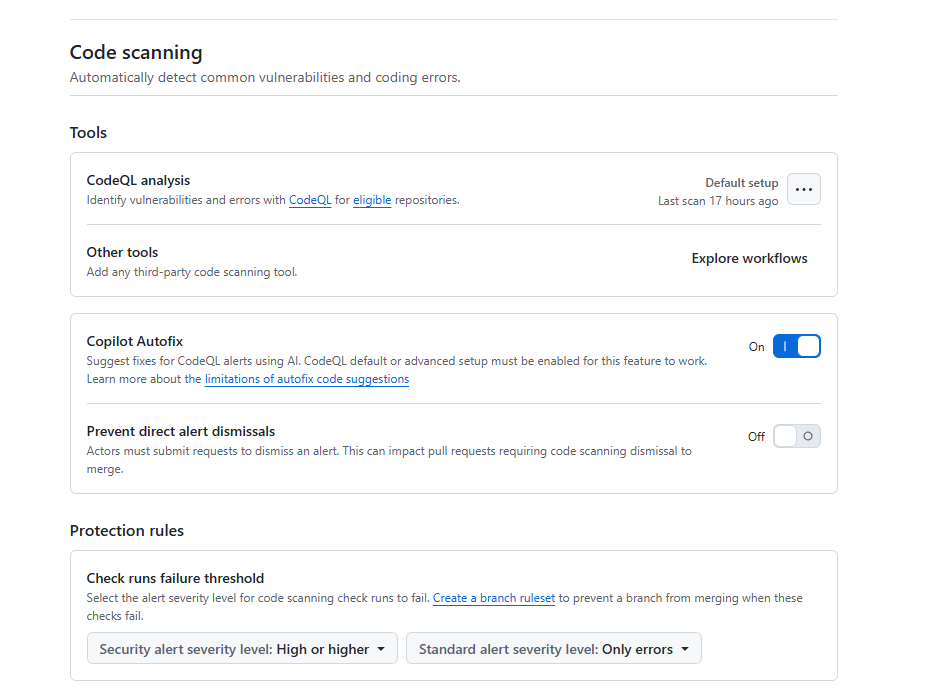
- Let the first CodeQL scan finish and read the findings before you make any changes required. A noisy security check gets ignored faster than a missing one.
- If you need language control, schedules, self-hosted runners, or extra query suites, switch to Advanced setup and commit a workflow file that uses
github/codeql-action@v4. - If you also want custom pattern rules or PR-only findings, add Semgrep after CodeQL is stable. Use
semgrep ciif you have a Semgrep AppSec account and token. - Upload SARIF results back into GitHub Security so alerts stay in one place.
- Only after the findings are tuned should you require the CodeQL and Semgrep checks on
main.
A minimal advanced CodeQL workflow looks like this:
name: codeql

on:
  pull_request:
  push:
    branches: [main]
  schedule:
    - cron: '21 3 * * 1'

jobs:
  analyze:
    runs-on: ubuntu-latest
    permissions:
      actions: read
      contents: read
      security-events: write
    strategy:
      fail-fast: false
      matrix:
        language: [javascript-typescript, python]
    steps:
      - uses: actions/checkout@v4
      - uses: github/codeql-action/init@v4
        with:
          languages: ${{ matrix.language }}
          queries: security-extended,security-and-quality
- uses: github/codeql-action/analyze@v4Why no autobuild step? The github/codeql-action/autobuild action is for compiled languages (Java, C#, C/C++, Go, Swift). For interpreted languages like JavaScript, TypeScript and Python, CodeQL extracts source directly during the init step and autobuild is a no-op or noisy. Add it back only when your matrix includes a compiled language that needs it.
If you want Semgrep in the same repository, add a small follow-on job rather than turning the whole workflow into a kitchen sink:
jobs:
  semgrep:
    runs-on: ubuntu-latest
    permissions:
      contents: read
      security-events: write
    steps:
      - uses: actions/checkout@v4
      - name: Install Semgrep
        run: python -m pip install semgrep
      - name: Run Semgrep
        run: semgrep ci --sarif --output semgrep.sarif
        env:
          SEMGREP_APP_TOKEN: ${{ secrets.SEMGREP_APP_TOKEN }}
      - name: Upload SARIF
        if: always()
        uses: github/codeql-action/upload-sarif@v4
        with:
sarif_file: semgrep.sarifWhat SAST catches well
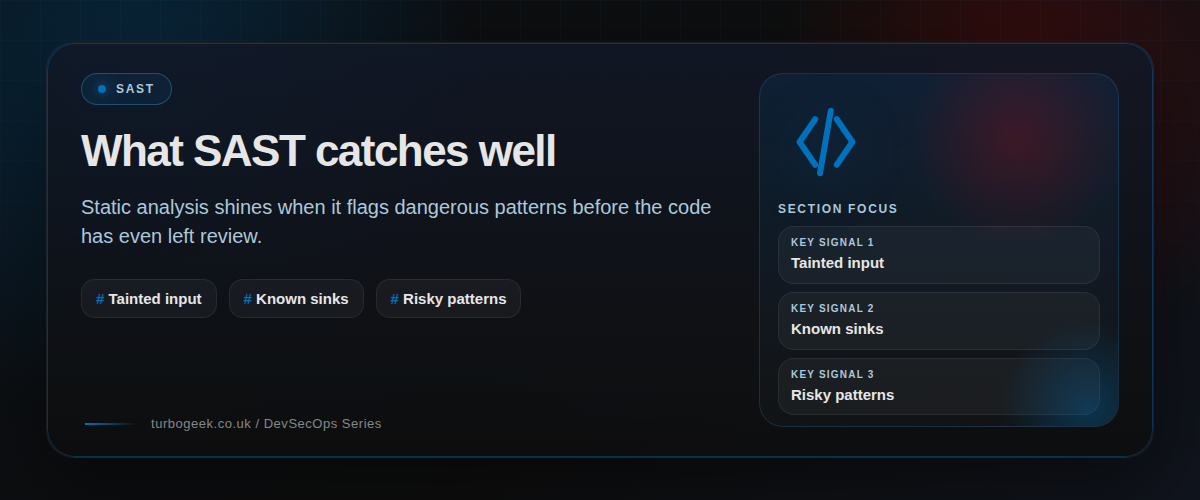
Static analysis is good at spotting risky patterns before the code runs: insecure API usage, dangerous sinks, obvious injection paths, missing validation steps, and other mistakes that show up clearly in source. That makes it a natural fit for pull requests.
Static analysis is not a magic runtime oracle. It will never tell you everything about a live deployment, a misrouted header, or a staging-only configuration quirk. The best teams use SAST for what it is good at and let runtime checks handle the rest.
A sensible GitHub Actions setup keeps the job small and obvious
If the workflow definition is unreadable, nobody will tune it when the rule set drifts. Small security jobs age better. That is one reason the native Semgrep CI example is useful: it makes the control easy to explain and easy to maintain.
If you already use Semgrep AppSec Platform, the official GitHub Actions configuration is short. If you want a purely GitHub-native route, CodeQL is a reasonable alternative. The principle is the same either way: tie the result to the pull request and keep ownership close to the team changing the code.
Alert fatigue is a pipeline design bug
When developers complain that SAST is noisy, the answer is usually not more discipline. It is better tuning. Either the wrong rules are enabled, the severity model is out of step with the repository, or the workflow is surfacing too much historical debt as if it were new work.
You fix that by trimming the blocking set, scoping rules to the languages you actually use, and reviewing repeated false positives as design defects in the security workflow. A noisy gate is not maturity. It is just a slow way to lose trust.
Make SAST feel like code review support, not a compliance chore
The strongest SAST programs read like extra review context. Developers see why the finding exists, where the risky pattern is, and what sort of fix would satisfy the policy. That keeps the job close to engineering quality rather than distant governance.
This is also where operational hygiene matters. Your existing GitHub posts on workflow run cleanup and branch protection are relevant because CI health and merge policy are part of whether a security job remains useful over time.
Example workflow
This official Semgrep CI shape is a good example of a small, readable SAST job attached to GitHub Actions.
name: semgrep
on:
  pull_request:
  push:
    branches: [main]

jobs:
  semgrep:
    name: semgrep/ci
    runs-on: ubuntu-latest
    container:
      image: semgrep/semgrep
    if: (github.actor != 'dependabot[bot]')
    steps:
      - uses: actions/checkout@v4
      - run: semgrep ci
        env:
SEMGREP_APP_TOKEN: ${{ secrets.SEMGREP_APP_TOKEN }}FAQ
Should SAST block every pull request?
No. Start with a small blocking set of high-confidence findings. Let the rest show up as review input until the rule quality is good enough to justify stricter enforcement.
Is Semgrep the only option in GitHub Actions?
No. CodeQL is a strong GitHub-native option. The more important choice is whether the workflow gives useful, review-time feedback to the team changing the code.
Why do developers ignore SAST so quickly?
Usually because the signal-to-noise ratio is poor. Repeated false positives, huge historical backlogs, and unclear remediation guidance train people to stop looking.
Related: GitHub CLI Secrets: Automate Branch Protection Rulesets and How to Delete All GitHub Actions Workflow Runs with the GitHub CLI both help keep the CI layer around SAST disciplined and maintainable.
Verification
Sanity-check the change actually worked:
- Open a pull request — confirm the SAST job runs and reports findings to the PR Files-changed view.
- Inject a deliberate vulnerability (e.g. a hardcoded secret in a non-prod file) — confirm the scanner catches it on the next run.
- Repository Settings → Branches → Branch protection — confirm the SAST check is required before merge.
Troubleshooting
Workflow runs but reports no findings — Confirm the right paths are scanned. Default codeql-action only scans on push by default; add pull_request trigger explicitly.
Too many false positives, devs disable the check — Tune severity thresholds — block on error only, surface warning in the PR comments. Enable continue-on-error for noisy rules during the tuning period.
CodeQL DB build is slow — Use autobuild only when needed. For pure-JS / Python repos, build-mode: none skips the build step entirely and runs in seconds.
Authoritative sources
References: GitHub — About code scanning, Semgrep quickstart, OWASP — Source code analysis tools.
Leave a Reply